Category: Feature

  • The Numbers Are in! Rutgers Giving Day Final Report

    Back in November, we reported on the preliminary Rutgers Giving Day results and the news was good. Now the final numbers from the Rutgers Foundation are in, and we are proud to say that the news is even better!


    Our initial goal was to roughly double our number of donors from the inaugural Rutgers Giving Day and reach 50 donors this year, but we wound up seeing an outpouring of support that greatly exceeded expectations—thanks in no small part to your support.

    According to the final reports, the Libraries raised a total of $16,544.22 with gifts from 172 donors—a 647% increase in the number of donors and an 829% increase in the total amount of funds raised over the previous year. These numbers include the early give phase, the day-of-phase, and the challenge money leaderboard.

    The leaderboard was used to determine how $80,000 in challenge money would be awarded across the university ($20,000 each for Rutgers–Camden, Rutgers–Newark, Rutgers–New Brunswick, and RBHS). A unit’s standing on the leaderboard was based on the number of individual donors for that unit during the day-of phase compared to the total number of donors for its “parent institution.” So, in other words, if there were 100 gifts total to Rutgers–Camden and Robeson Library received 10 gifts, it would receive a bonus 10% of the $20,000 in challenge money, or $2,000. Here’s how the leaderboard numbers broke down:

    Unit Total distinct donors Total dollars Percentage of “parent institution” leaderboard donors Challenge money awarded (of $20,000)
    Robeson Library 9 $170.00 1.66% $331.49
    Dana Library 19 $1,433.08 2.61% $521.26
    Institute of Jazz Studies 2 $65.00 0.27% $54.87
    New Brunswick Libraries 95 $11,609.99 3.21% $641.46
    RBHS Libraries 6 $300.00 0.78% $156.05

    As you can see, we have much to be proud of. Many thanks to everyone who went out of their way to set up a donation station, make support sheets available to their patrons, or give a gift of their own to support the Libraries. Our tagline for this year’s campaign was “We can do great things together,” and you’ve all made it abundantly clear that there is real meaning behind those words. Thank you!

  • Quick Takes on Events and News — April 2017

    Rutgers University Libraries are cosponsoring two high-profile events in New Brunswick this month:

    Alice Aycock: Selected Works
    Douglass Dean’s Colloquia: Conversations

    In partnership with Jacquelyn Litt, dean of Douglass Residential College, the Libraries are delighted to welcome Rutgers alumna Alice Aycock to the Douglass Dean’s Colloquia: Conversations with Extraordinary Women on April 6, 7 – 8:30 p.m. at the Kathleen W. Ludwig Global Village Living Learning Center. RSVP here.

    Joy Reid
    “Truth and Consequences: What We Know and Why It Matters”
    Senator Wynona Lipman Chair in Women’s Political Leadership

    The Libraries are proud to partner with the Center for American Women and Politics and others to welcome Joy Reid, national correspondent and host of AM Joy on MSNBC to Rutgers University-New Brunswick on April 4 at 7 p.m. at the Douglass Student Center. RSVP is required. See website for details.


    Two WWI-themed exhibits opened last month:

    Camden, World War I & the New York Shipbuilding Corporation at Robeson Library
    This exhibit relates the history of the New York Shipbuilding Corporation (or New York Ship for short), an American shipbuilding company that operated from 1899 to 1968, ultimately completing more than 500 vessels for the United States Navy, the United States Merchant Marine, the United States Coast Guard, and other maritime concerns.

    “Heaven, Hell, or Hoboken!”: New Jersey in the Great War at SCUA in Alexander Library
    This exhibit focuses on the individual experiences of these Jersey doughboys and servicewomen who bravely went “Over There,” and the families and neighbors who remained behind, “Over Here.” The exhibit includes loans of 29th “Blue and Gray” Division artifacts and souvenirs from the National Guard Militia Museum of New Jersey, wartime medical supplies from the Johnson & Johnson Archives, and postcards from the Special Collections of the George F. Smith Library of the Health Sciences at Rutgers Biomedical and Health Sciences.


    Journal of the Rutgers University Libraries – Vol 68(2) now available

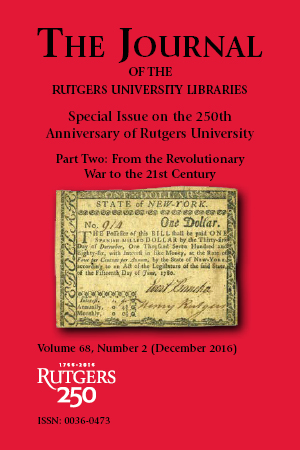
    The second part of the Journal of the Rutgers University Libraries’ special issue on the 250th anniversary of Rutgers University is now available. Entitled “From the Revolutionary War to the 21st Century,” this issue completes the discussion of Rutgers’ early history begun in “The Life and Times of Henry Rutgers” and turns its focus to the present day. David Fowler contributes the second and third installations of “Benevolent Patriot: The Life and Times of Henry Rutgers,” the most comprehensive biographical investigation of the university’s namesake to date. Additional articles explore the early history of Livingston College and the history of the Rutgers University Police Department from its roots as a parking authority to its current status as a professional law enforcement agency.


    WWI Poetry Reading – April 18

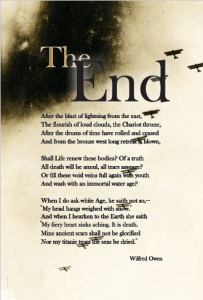
    Mary Ann Koruth designed beautiful broadsides like this for the exhibit.

    Michael Joseph is planning a WWI poetry reading event for April 18 to complement the themes and poetry included in the “Heaven, Hell, or Hoboken!”. If you are interested in attending or participating in the event, please check in with Michael.

    Save

    Save

    Save

    Save

  • Crash Courses in bioPreprint and GrantForward

    The worlds of scholarly grants and publication are changing rapidly in response to new technology and shifts in funding. Fortunately, the Libraries have resources to help scholars meet the demands of these new landscapes. This month, Smith Library’s Roberta Fitzpatrick Bronson offers a crash course on two services that are particularly timely and useful for researchers/scholars. Follow the links below for the who/what/where/why/how of using bioPreprints and GrantForward.


    bioPreprints

    The NIH recently announced that it will now accept (and encourage) researchers to include preprints in applications for funding:

    “The NIH encourages investigators to use interim research products, such as preprints, to speed the dissemination and enhance the rigor of their work. This notice clarifies reporting instructions to allow investigators to cite their interim research products and claim them as products of NIH funding.”

    So, we may see an uptick in interest in how to use and find preprints. bioPreprints allows users to search several preprint databases and to solicit and respond to feedback from their peers. It is focused primarily on STEM areas of study.

    More from Roberta on bioPreprints.


    GrantForward

    In the coming years, it will be more important than ever for researchers to find outside sources of funding, and it is entirely likely that competition for these funding sources will grow. GrantForward can make this process quite a bit simpler for Rutgers researchers. Traditionally,  they would have to search multiple databases to find all applicable federal, state, and local grants. GrantForward offers a leg up by simplifying this process into a single comprehensive search of more than 25,000 funding opportunities. Users can set up a user profile and request that GrantForward automatically run searches and send them results, too. Read more from Roberta on how to access and use this resource.

    More from Roberta on GrantForward.


    If you have new resources to share with our colleagues, please reach out to Jessica Pellien.

    Save

  • GrantForward offers an efficient way to find funding opportunities

    GrantForward contains information on over 25,000 funding opportunities for over $50 billion. These awards are available from federal, state, and foundation funding sources. Users of GrantForward can search this database of funding opportunities in order to retrieve information on what is available and how to apply. Individuals may create personal research profiles. Automatic searches of the funding opportunities database can also be established and run on a routine basis, with the results sent to the user via e-mail. GrantForward is based on the University of Illinois IRIS service, combined with data harvesting technology.

    Instructional videos are available on the GrantForward home page that walk users through limiting search results, sorting search results, creating users profiles, and more.

    A toolbar with the following links appears at the top of the GrantForward home page: Grants, Sponsors, Researchers, and Support. Users should hover their mouse over the link of interest and click accordingly.

    Create Account

    To create a personalized user profile, follow the steps listed below. Rutgers University users are accessing an institutional subscription of this product, which allows RU users to create individual profiles. Please note: RU users need to use a rutgers.edu e-mail address with this product.

    1.  On the GrantForward home page, click on the “Sign Up” link located in the upper right corner of the page;
    2. Enter your Rutgers University e-mail address when prompted, e.g. bob.smith@rutgers.edu;
    3. Create a password;
    4. When prompted to enter account type, select “institutional;”
    5. Click on “Create” to complete the initial process;
    6. Confirm the account via the e-mail sent to your RU e-mail address.

    Find Funding Opportunities

    Search for funding opportunities by mousing over “Grants” on the toolbar and clicking on “Search Grants.” Type relevant terms in the text box, just as you would when executing a Google search. An Advanced Search feature is available which can assist users with limiting results that appear to be too broad. User can choose from the following: any words (same as what is typed in to the text box), exact phrase, all of the words (functions like a Boolean AND – requires that all words appear, regardless or word order), and none of the words. Search filters are also available and appear on the left side of the page. They include:

    1.  Sponsor – type in terms or choose from the alphabetic list provided;
    2. Academic Category – type in terms or choose categories and subcategories from the alphabetic list;
    3. Status – Open. Continuous, or Closed. The system default is set for the first two options;
    4. Sponsor Type – Includes federal, state, or foundation; users may select any/all of the types available;
    5. Grant Type – Filter by types listed, including awards/prizes, fellowships, conference, travel, and more;
    6. Applicant Type – allows users to filter results by awards intended for specific categories of applicant.

    Users can scroll down to view search results. Each funding opportunity has four tabs: Amount, Submission Dates, Eligibility, and Submission Information. To view more detailed information about an available funding opportunity, users can click on the title. Buttons that link to application forms are also available.

    It is possible to sort and export search results. In addition, search strategies may be saved and executed in the database at specified intervals, with the results sent via e-mail.

    Research Profiles

    More about personalized researcher profiles are found under the “Researcher” link on the toolbar. Users will enter basic information (name, institution, department, etc.) in an area for basic information. They can also designate research interests and upload their CV or link to a web page containing lists of their publications.

    Learn More

    Instructional videos are available at the bottom of the home page and provide basic information on how to create a profile or execute a search.

    Save

    Save

  • The Origins of The Weekly Agenda Newsletter

    During one of my visits to Smith Library, Mina Ghajar mentioned that she knows two people who used to write this very same internal newsletter when it was in the print form of The Weekly Agenda. Jan Leavitt (retired and presently a part-time Librarian at Franklin Township Public Library) and Ann Smith (Head of Adult Services, Franklin Township Public Library) offered to write a short recollection about the origins and content of the earlier version of The Weekly Agenda upon which our new web-based publication is based.


    From Jan Leavitt and Ann Smith:

    The Weekly Agenda was first printed in April of 1979. Instituted by the university librarian as a form of communication to faculty and staff in the libraries on the various Rutgers campuses, it became the newsletter announcing the many happenings in the Libraries.

    The faculty and staff news items included professional development announcements of various conferences, along with grant and publication opportunities and reports to the library community from those attending meetings outside of Rutgers. The Agenda also included fundraising updates from the University Foundation regarding the Parents and Friends donations to the Library budget, which supported the Libraries. Library employment vacancies were listed in The Agenda, and the library calendar of events for the month was printed on the back page. Also included on the back of The Agenda were the various exhibits on the three library campuses.

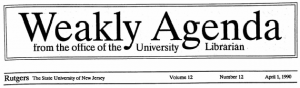
    Occasionally we would put out an April Fool’s type of publication which everyone seemed to get a laugh out of and enjoyed. One that comes to mind was the April 1, 1990 issue.


    Happily, thanks to Janie Fultz’s archival tendencies, we have bound copies of earlier issues of The Agenda. Enjoy this PDF of the April 1, 1990 issue of “The Weakly Agenda” which features a tongue-in-cheek obituary for Ken Kuehl (death by axe – one heck of a way to go); the introduction of a new policy to install “grease trucks” outside of the libraries (which as we now know was remarkably prescient); and the formation of the Acronymiacs Anonymous to combat our tendency to speak in acronyms.

    Save

    Save

    Save

  • Performance Appraisals for URA-AFT Employees Are Due April 30

    It’s Performance Appraisal time again! The program has two components: performance evaluation and merit increases.

    In anticipation of an announcement from University Human Resources regarding the performance appraisal program for URA-AFT employees, managers and supervisors should remind their URA-AFT employees to begin a self-appraisal. To be eligible for the Staff Compensation Program (SCP), URA-AFT employees must be in a program-eligible title on or before January 1, 2017 and remain employed in a URA position through the payment date of the merit increase. The SCP runs from May 1, 2016 through April 30, 2017. Self-appraisals should be completed by April 15, 2017. Managers and supervisors must complete performance evaluations and notify eligible employees of the appraisal by April 30, 2017 and provide the employee an opportunity to comment in writing by June 1. Any employee comments are attached to the appraisal.

    Staff are evaluated against performance standards that were established during the previous evaluation process and include any additions or modifications that have been communicated to the employee during the year. The two rating categories are Meets Standards and Does Not Meet Standards. At the completion of the evaluation, supervisors establish standards for the next year’s evaluation process and discuss with each employee.

    Please note: For RBHS staff, evaluations for CWA Local 1031 are due in November. HPAE Local 5094 and Teamsters Local 97 evaluations are due in the anniversary month.

    Additional information will be forwarded when the official appraisal and merit programs are announced.

    Below are links to the UHR webpage to assist you in the process.

    If you have any questions, please do not hesitate to contact Libraries HR.

    Save

  • New Preprint Database from University of Pittsburgh Health Sciences Library Available Now

    The University of Pittsburgh Health Sciences Library has introduced a new federated search engine that enables users to simultaneously search a number of databases which allow for the deposit and peer review of prepublication article manuscripts. Researchers can access articles on the most current topics prior to their final publication. The resource has blog-like features which allow others to discuss the article prior to its submission to a publisher, resulting in a thread of scholarly communication between the author and members of the scientific community. The database, bioPreprint, may be found at http://www.hsls.pitt.edu/resources/preprint.

    A preprint database offers open access to articles with authors who want to “make their findings immediately available to the scientific community and receive feedback on draft manuscripts before they are submitted to journals.” Articles which appear in these databases are not copy edited but are scanned for plagiarism, offensive language, etc.

    bioPreprint includes articles from the following:

    • arXiv (pronounced “archive,” it covers mainly quantitative biology), physics, mathematics, computer sciende, nonlinear sciences, and statistics from 1991 forward
    • bioRxiv (pronounced “bio-archive”) information includes ranges from animal behavior and cognition to clinical trials, from neuroscience to zoology
    • F1000Research This database includes posters and slides, each of which receives a digital object identifier. Articles with source data are published within one week; they are indexed by Scopus, PubMed, and Goofle Scholar.
    • PeerJ Preprints covers biological, medical, and computer sciences. Their aim is to reduce publishing costs borne by authors while at the same time publishing innovative research.

    Each database is linked from the home page of bioPreprint and may be searched separately or simultaneously. The bioPreprint database is easy to search. It is word or phrase searched, with words in a phrase surround by quotes or literals. Terminology is typed into the textbox provided on the home page. Results take a few minutes to gather. For users who want to narrow their results, the database allows limiting; in the lower left corner of the results is displayed a tally of the top results, followed by phrases and article counts, e.g. human brain development (10) under “zika virus.”. These phrases may be clicked and will yield a second set of results specific to the limited topic focus. Users can click on the title of each article displayed as a result and are taken to the original database where the article was deposited. There, it is possible to view the draft article, as well as reader comments.

    The database provides users with directions on how to cite these preprint publications. For those who are performing a systematic review of a topic, bioPreprint may be an important source of information.

    Users are also encouraged to download the “bookmarklet.” This integrates text from any web page, such as a meeting web site seamlessly. Users download this into their web browsers. It is possible to use the bookmarklet as a pop-up search engine to look for unpublished manuscripts by word or phrase within the online contents. Further information on the bioPreprint bookmarklet, along with directions on downloading and searching, are available on the database’s home page.

    Those who are interested in specific academic journal policies with respect to preprint publication should go here: https://en.wikipedia.org/wiki/List_of_academic_journals_by_preprint_policy.

    Save

    Save

    Save

  • Books That Heal: Reading for Recovery Project completed

    Some of the titles highlighted on the R4R @ Rutgers Libguide.

    In December, the Center of Alcohol Studies Library completed Reading for Recovery (R4R), a two-year ALA-funded project. Judit H. Ward formerly of CAS Library and now Reference & Instruction librarian at LSM was Principal Investigator for the project. The central hub of the project deliverable is already available at: http://libguides.rutgers.edu/R4R. Here, she describes the project and explains what information is available on the libguide.


    As traditional gatekeepers of alcohol literature in the oldest institution related to substance abuse in the United States, the Rutgers Center of Alcohol Studies (CAS) Library applied for this grant with a noble ambition in mind: they wished to connect those affected by addiction to helpful and inspiring books by developing an authoritative and easily accessible resource for bibliotherapy, clinical practice, and education.

    In its modern application, bibliotherapy has been used to treat a variety of disorders, including insomnia, anxiety, obsessive compulsive disorder, and addiction, and it has shown promise for use by both children and adults. Moreover, there is great variety in how bibliotherapy is performed, with some readers working directly under the supervision of their doctor or counselor, while others choose to pursue an entirely self-directed course of treatment. R4R also endorses book clubs that are organized or supported by public libraries, providing ample resources on how to lead book discussions.

    Based on the established selection criteria, R4R has accomplished its primary goal of providing discoverability of titles hidden on the shelves of public libraries for potential readers. The three different R4R platforms, LibGuides, LibraryThing, and Goodreads, provide an opportunity to fill the gap between the selected titles and their readers and to reach as broad an audience as possible.

    A Guide to the Information in R4R @ Rutgers: Reading for Recovery Libguide:

    Three tabs address the three main user groups (i.e., librarians, addiction professionals, and readers in general). Each tab contains several subpages available via pull down menus. Content was collected and organized throughout the entire project for these tabs, covering all areas the project intended in its directives.

    Besides promoting bibliotherapy resources and providing book lists, a popular feature at the Libraries’ State of the Libraries poster display and other conference displays is the collection of supplementary materials, such as word documents, .pdf files, templates, and links to resources that could make the daily work of a public librarian easier. These are in the For Librarians section, under the title Download & Share. At the suggestion of our public librarian member, the R4R team put together its own collection of discussion sheets, bookmarks, and fliers to facilitate book clubs and reading books solo, in addition to collecting and sharing similar resources from other public libraries and publishers.

    Under the For Addiction Professionals tab, a page highlights current information on scholarly resources. In addition to books, recent scholarly articles are also showcased. Material related to twelve step programs are also included, with credits to Alcoholics Anonymous where appropriate. Promoting bibliotherapy for addiction with the help of the appropriate books, training options, and media coverage, this section guides those wishing to turn their personal experience with addiction for the benefit of others via training to become counselors, a significant potential user group in our experience.

    The needs of R4R’s main but hard-to-reach audience are addressed on the For Readers pages detailing the potential benefits of bibliotherapy. The pulldown menu provides select material, organized by genre or audience, with a widget linking to the broader LibraryThing and Goodreads pages for further browsing.

    Conclusion:

    As explained in the final report to ALA, it is fitting that the ALA Carnegie-Whitney Grant supported the final project undertaken by the Center of Alcohol Studies Library. It was a grant from the Carnegie Corporation in 1938 that funded the original project designed to index and organize the entirety of scientific alcohol literature, known as the Classified Abstract Archive of the Alcohol Literature (CAAAL). CAAAL would later serve as a foundation of the institution that would become the Center of Alcohol Studies. Taking inspiration from CAS founders E. M. Jellinek and Mark Keller, broad thinkers instrumental in the design and structure of both the CAAAL project and the CAS, the Reading for Recovery (R4R) project extends this spirit, spanning broader literary, cultural, and philosophical arenas in order to reach populations most vulnerable to substance use.


    Save

    Save

  • Do not fall for phishing!

    Spam and phishing messages are pouring into our inboxes almost every day. Some of these messages cleverly mimic the look and feel, and in some cases naming conventions, of trusted sites, leading people to accept the legitimacy of the messages.

    Rutgers Connect email administrators in the Office of Information Technology have put powerful filters in place to keep the number of incoming malicious messages low, but it is impossible to completely eliminate them. The messages sneaking in past the filters entice you to click on links/attachments or to reveal confidential information about yourself (NetID and password, date of birth, SSN, etc.). Clicking on a link or opening an attachment may install malicious software on your computer, or steal the data entered in good faith to use it later for criminal gain, like illegal downloading research content the Libraries are paying for – or worse.

    Recognizing and avoiding spam/phishing messages minimizes your chances of becoming a victim. The following are some tips that will help you identify such attempts:

    • Look for spelling and grammatical errors
    • Look for suspicious links and/or the sender’s email address
    • Do not click on links in an email to connect to a website unless you are sure that the link is authentic.
    • Hover with your mouse to reveal the actual URL.
    • Do not reply.
    • Look for unusual/generic-looking requests
    • Fraudulent emails are often not personalized.
    • Be wary of emails asking for confidential information. Do not disclose sensitive information in response to an email you don’t know where it is coming from. Phishers like to use scare tactics and may threaten to disable your account or delay services until you “update certain information.”
    • Do not open attachments in any suspicious email messages.
    • Make sure you are keeping your computer’s security software up to date.
    • IIS sends out a reminder on last Wednesday of each month to download and install Windows security updates. Please be sure to install them immediately.

    Here is an example of a recent phishing attempt. Can you spot a few clues?

    • “i” is missing from President Barchi’s last name in the “From” address
    • Suspicious “mailto” email address
    • Unusual formatting of the greetings line
    • Poorly written message body: “president bill nash” indicates lack of attention to detail. Not capitalizing title and name gives away sloppy authoring skills.
    • Poor English: “All staffs are advised to go through.”

    If you are uncertain about the legitimacy of an email, ask your local UCS or IIS to confirm the authenticity. If you have clicked on a suspicious link, or have provided your confidential information, call IIS immediately at 848-445-5896 #7.

    Save

    Save

  • Duck Decoys, Fly Fishing Flies, Abdominal Procedures, and New Jersey Medical History: The 2017 MHSNJ Lunar Society Meeting

    • Click image to view full version.
    Edgar Burke
    Dr. Edgar Burke in his penthouse apartment at the Jersey City Medical Center.

    On February 8, 2017, the Medical History Society of New Jersey (MHSNJ) and Rutgers University Libraries co-hosted the MHSNJ’s fifth annual Lunar Society winter meeting, held in the Pane Room at Alexander Library. Over 30 MHSNJ members, surgeons, librarians, and even an art history graduate student attended.

    Not only was the meeting a series of three presentations about New Jersey medical history, it was also an art show. On display prior to the formal program were a selection of small paintings (mostly 4” x 4”) of surgical procedures and anatomical structures created by Dr. Edgar Burke (1890 – 1950). A longtime surgeon at the Jersey City Medical Center, Dr. Burke was also an artist of considerable skill. His realistic paintings of wildfowl, duck decoys, and fly fishing flies were published in several books in the 1930s and 1940s, and sell at auction to this day. Last spring, RBHS – Special Collections received a donation of over 800 previously unknown Burke medical artworks. These were the gift of Mr. and Mrs. James Neumeister, the son-in-law and daughter of Dr. Burke’s last surgical resident. While Dr. Burke undoubtedly used these paintings in teaching and in his own surgical practice, this Lunar Society event was likely their very first public exhibition.

    In my presentation, I discussed Dr. Burke’s biography (such as is known – he seems to have been a rather private person), archival challenges in preserving and describing his artworks, and potential uses of this unique collection by medical and surgical historians, and perhaps even art historians.

    I was followed by Dr. Theodore Eisenstat of Robert Wood Johnson Medical School, who provided a surgeon’s perspective on Dr. Burke’s paintings. Both of our presentations were enhanced by digitized images of Burke’s artwork, produced in the Digital Curation Research Center with the support of Isaiah Beard and James Hartstein.

    The meeting’s final presentation was by Dr. Linda Whitfield Spinner, an authority on the history of medicine in Middlesex County. She discussed the role of women in the formation of two early New Brunswick hospitals. Founded in 1884 with support from Mrs. Grace Wells and other local women, the New Brunswick City Hospital became the John Wells Memorial Hospital, which later became Middlesex General Hospital and is now Robert Wood Johnson University Hospital. The Sisters of Charity of the Order of Grey Nuns of Montreal were instrumental in establishing St. Peter’s Hospital in 1907.

    Following the presentations, many attendees enjoyed lunch and fine conversation at the  Rutgers Club. The next meeting of the Medical History Society of New Jersey will be held in May, at the Nassau Club in Princeton.