Category: Articles

  • Digital Exhibits Page

    Continuing the work of presenting our digital projects in a consistent arrangement, the Digital Exhibits page is available with its first five digital exhibitions. The page summarizes the completed projects and links to each online exhibition and its exhibit catalog. While the panels and web pages reflect the distinctiveness of the subjects, they share unified theming. They have consistent links back to the main Digital Exhibits page as well as the Libraries home page. Be sure to check back from time to time, as more are on the way in the months to come.

  • Digital Projects Status Page

    Over the past couple of years, the digital projects team in Shared User Services has been actively assisting campus libraries in organizing their work on digital collections, and making them available online. Thirty-one such projects are now publicly accessible through our digital collections page and span a variety of topics, from Inclusion and Diversity, to showcasing the research articles and presentations of our undergraduates. This list continues to grow, as new collections are proposed and some of our ongoing projects continue to be renewed and expanded upon.

    But everyone wants to know what’s in the pipeline. In order to keep the RUL community up to date on the projects we’re working on, we’ve created a page for Pending and In-Progress Digital Projects that lists most of the digital collections and exhibits that are upcoming, along with their status and proposed work timelines. We hope you’ll visit our status page and keep abreast of our ever-growing digital collections work!

  • New Brunswick Libraries and the Google Book Project

    Google carts will arrive at Rutgers on March 2 for loading, with three quarters of them going to NBL.  Of the ca. 194,000 volumes listed on the Google candidates spreadsheet, roughly 86% were in the New Brunswick Libraries.

    Nearly 29% of the NBL Google candidates are in the Annex, and we’re beginning the process there.  The NBL Google Team made the decision to use the 1900 publication date as the cutoff for anticipating whether scanned material might eventually become freely available and would not need to return to RUL.  This date is a compromise and approximation; copyright findings are a complex process with later or earlier dates for American and non-American publications.  Stephanie Bartz arranged the Annex Google candidates in call number and (for the journals) title order, and I gave NBL selectors two months to decide for materials in their subjects whether to accept the “send–do not return” option for pre-1900 publications, or “opt out” and require materials be returned.  RUL will have search-only access in HathiTrust to scanned in-copyright publications, and we will retain the hard copy of these volumes after scanning.

    Many NBL subject specialists weighed in with their preferences by initialing the spreadsheets or expressing them in meetings and online.  The Annex candidates include many books and journals that saw the bulk of their circulation many decades ago and are now in poor condition, but available digitally or via interlibrary loan.  As we finalized the Annex spreadsheets, I made decisions where selectors had not based on their expressed preferences and a conservative interpretation of RUL’s Print Retention and Withdrawal Guidelines that permit withdrawal of last copies if we have perpetual digital access to the content or at least five copies in North American libraries.  Our current estimate is that of 54,115 volumes on the Google spreadsheet, 88% will be sent but returned, and 12% (mostly journals) will be sent but not returned with the prospect of both digital access and continued interlibrary loan access to the hard copies.  I believe we found a good procedure that observes RUL policy and values the expertise of our subject specialists while eventually gaining badly needed shelf space for our Annex.

  • Schedule Meetings More Easily with FindTime

    FindTime is an Outlook add-in that allows you to easily identify and come to a consensus on meeting times. FindTime shows you the dates and times you and your attendees are available based on the free/busy data in Outlook calendars. A poll is created within an email message which is sent to invitees who can vote on their preferred times. Because FindTime is integrated into Office 365, you no longer need to use separate applications, such as Doodle, to poll colleagues for meeting times. Invitees do not need to install FindTime to vote on meeting times, and invitations can be sent to any email address including external addresses.

    FindTime works with Outlook on the Web (OWA), Outlook 2016 (desktop version), and Outlook for Mac. When using it for the first time, you will need to install the add-in and you will be prompted to sign in to authorize its use. More information on FindTime can be found here.

    If you have questions about FindTime, please do not hesitate to contact IIS by phone at 848-445-5896, option 7, or by email at support@rulhelp.rutgers.edu.

  • Teaching and Learning: LibGuides in Canvas

    A link to library content in the Canvas shell.

    Did you know that links to LibGuides and Library information are already included in all Canvas shells?

    Clicking on the Rutgers Libraries link in Canvas course navigation will display a page with a link to a LibGuide(s) and also Library information.

    By adding Canvas course metadata to a LibGuide, Librarians can connect students to LibGuides that are directly related to their course.

    There is no limit as to how many courses can be connected to one guide, and there is no limit as to how many Libguides can be connected to a course.

    View this document to see how to connect your LibGuide to a Canvas course.

    LibGuide authors who have questions about LibGuides may contact Maria Breger at maria.breger@rutgers.edu

    View the complete list of the Libraries Teaching & Learning topics.

  • The New PubMed

    PubMed comprises more than 30 million citations for biomedical literature from MEDLINE, life science journals, and online books.

    The National Library of Medicine (NLM) is replacing the current version of the PubMed database with its newly re-designed version. The new PubMed version will become our default interface on March 16.

    Until then, when you visit PubMed you will see a blue banner inviting you to try the new PubMed. Switching to new PubMed using this banner will allow you to try new PubMed, but “Get it @ R” links may not appear. To see “Get it @ R” links in new PubMed, please access new PubMed directly through the following URL: https://pubmed.ncbi.nlm.nih.gov/?otool=njrutulib.

    Beginning March 16, when new PubMed becomes our default interface, “Get It @ R” links will appear in new PubMed by default.

    Some of the big changes between legacy PubMed and new PubMed are:

    • A more modern-looking search interface
    • Search results sorted by a “best match” ranking by default not by the “most recent” ranking.
    • Citation creation tools: formats citations for an article in AMA, MLA, APA, or NLM style.

    The new PubMed is richly featured, including advanced search, search details, search history, filters, My NCBI, links from MeSH, and more. It boasts some great new display, navigation, and output features in a truly responsive design that facilitates mobile access, including links to the full text when available from the publisher, PMC, or Rutgers University Libraries (via the “Get it @ R” button).

    Improvements to retrieval include enhanced synonymy, addition of plural forms, better British/American translations, and unlimited truncation.

    Here’s a link to the New PubMed Trainer’s Toolkit which includes annotated slide decks,  handouts, and

    quick tours, to be used in workshops and sessions as the new interface rolls out.

  • Ex Libris Implementation Team Update – March 2020

    New Central Index Coming to QuickSearch

    In Spring 2020, Ex Libris will release its new Central Discovery Index (CDI), an expanded search index with an upgraded infrastructure that will replace the current Primo Central Index (PCI). The central index is a collection of records describing hundreds of millions of scholarly resources, including articles, books, conference papers, and audiovisual recordings harvested from publishers, aggregators, and open-access repositories. The new index will offer several improvements, including:

    • Expanded content coverage
    • Faster content updates
    • Merged records instead of record groups
    • New and more granular resource types
    • Streamlined activation process

    Although the transition to CDI is expected to be seamless, users may notice the following changes:

    • More search results
    • CDI leverages the combined assets of Primo and Summon, which means users will have access to more content than before
    • Changes to retrieval and ranking
    • CDI uses a different search algorithm impacting the way results are retrieved and ranked
    • Merged records
    • Duplicate results within the central index are merged into a single record instead of grouped together
    • New and more granular resource types
    • CDI will offer new resource types (e.g., archival material, market research, dataset, standard) and more granular categorization (audiovisual will be separated into audio and video)
    • Broken permalinks
    • The majority of permalinks will continue to work but Ex Libris estimates that ~10% could not be mapped and will break

    To minimize disruption, the new index will be activated after the spring semester ends on May 18th, 2020. If you have any questions, please contact exlibris@rutgers.libanswers.com.

    Law Libraries – By the Numbers

    The Law Libraries Append Project added a large number of physical and electronic resources to Alma and QuickSearch in January 2020. For physical, 188,572 titles and 463,395 items were added. For electronic, 95,216 titles representing 117,237 electronic resources were added. Also, 3,042 user records were loaded containing 1,451 new user records and 1,591 updated records and 3,583 checkout records attached to these users were loaded.

    Leganto in Action – Spring 2020

    Sixty-two unique course sections are actively using Leganto for Spring 2020. This includes at least one course from every campus and courses that span eight Rutgers schools and colleges. The School of Social Work in New Brunswick’s online and hybrid courses have continued to make active use of the Reading List tool, but there are also notable numbers from the College of Arts and Sciences in Camden and the School of Nursing at RBHS.

    Introducing Esploro

    Rutgers University Libraries have contracted with Ex Libris to integrate Esploro, an institutional repository platform for collecting, managing, and showcasing the university’s research output. Esploro offers a variety of useful features including:

    • Support for over 50 asset types including pre-prints, publications, data sets, audiovisual media, and creative works
    • Direct and mediated deposit as well as automatic capture of assets from external sources such as indexes, national repositories, and disciplinary repositories
    • Researcher profiles allowing for easier identification of domain experts and potential research collaborators
    • Integration with Pivot, a global funding database that helps match researchers with potential funding opportunities
    • Robust analytics for measuring research performance and impact

    Integration of Esploro into our Alma environment begins March 2020 and will be carried out in two phases. The first phase will focus on data migration and system configuration and is expected to be completed by the end of summer. The second phase will focus on education, promotion, and campus engagement. Stay tuned for further updates as the project unfolds.


  • My Trip to Speak at Carnegie Mellon-Qatar

    • Megan Lotts (r.) and her Carnegie Mellon collaborators.

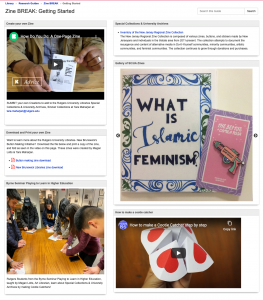
    On February 1, 2020, I boarded a plane with bags full of LEGO as well as Rutgers University Libraries coloring books, zines, and library swag.  My final destination was Doha, Qatar to visit one of Carnegie Mellon’s satellite campuses. I was invited to Doha as the Carnegie Mellon-Qatar (CM-Q) Glorianna St Clair Distinguished Lecture in 21st Century Librarianship and gave a presentation titled “The Engaged Librarian: Fostering a Culture of Creativity and Play in Libraries.” This presentation was based off my previous work on makerspaces, active learning, and play in libraries, as well as new research from my latest book project on creativity for the American Libraries Association, forthcoming in 2021.

    While in Doha, I had the opportunity to collaborate on a zine and LEGO workshop for the CM-Q campus with Jill Chisnell, Dom Jebbia (both from Carnegie Mellon-Pittsburgh), and director of the CM-Q Library Teresa MacGregor. These events were attended by students, faculty, and staff members of the CM-Q campus as well as a few members from the Georgetown University-Qatar community.

    Another exciting part of my trip was the opportunity to present my research on LEGO and active learning at the Qatar National Library (QNL).  This library, recently built by architect Rem Koolhaus, is jaw dropping. Having a soft spot for Koolhaus since reading his well-known text Delirious New York, I immediately fell in love with this elegant sculpture which houses unusual furniture, futuristic technology, and an elevator known as the “people mover,” which is similar to a ride one might find at Disney World in the 1980s.  Beyond the stunning architecture was a variety of unique spaces and resources that cater to the needs of the local Qatar communities, including a large children’s space, a music room, makerspaces, a beautiful café, an impressive auditorium, and more.

    Although there were many interesting cultural experiences while visiting Qatar, including buying goods at the Souq, the Materials Library at Virginia Commonwealth University-Qatar, and trying beef bacon, I was awestruck by the architecture including the QNL (Rem Koolhaus) and the Museum of Islamic Art, designed by world-renowned architect IM Pei. But perhaps most interesting was the architecture of “the Pearl,” an artificial island built on one of Qatar’s former major pearl diving sites. It’s not surprising that this stunning, futuristic, almost unreal structure houses some of the most modern neighborhoods in town. Fortunately, I was able to experience this space in person at a monthly community-building party hosted by Mike Trick, dean of CM-Q.

    If you have questions about this trip or my research, please contact me at megan.lotts@rutgers.edu or learn more about me at meganlotts.com.


  • Kicking Off another Planning Cycle

    It’s March, which means that another planning cycle is getting into full swing. At the Cabinet retreat tomorrow, we will begin discussing the 2020–2022 local priorities that have been developed by the directors. You can read them yourself on our Annual Planning and Priorities page: Camden, Newark, New Brunswick, RBHS.

    Over the past several planning cycles, information control has been among our top priorities as a system. This was based on feedback we received in the 2016 LibQUAL+ survey, which indicated we had room for improvement in this area in particular. As you know, this led to a whole suite of changes, not the least of which was the implementation of QuickSearch. We’ve also added extensive backfiles in recent years, working to address gaps in our collections so that they better meet the needs of Rutgers researchers. It has been a lot of hard work, but signs point to it paying off. The 2019 LibQUAL+ results, for instance, coupled with indicators like the drop in ILL numbers, give us reason to believe that we have made significant improvements when it comes to information control. This is a huge achievement for us, because it’s where our users indicate that they have the highest expectations for library service.

    That said, it isn’t entirely surprising to see that information control is becoming less of a focus area in some of the plans for this cycle. Of course, this doesn’t mean that this aspect of our work is any less important—it just means that we’ve laid an effective foundation and are ready to build toward new things.

    It is important that we take a moment to congratulate ourselves for this amazing accomplishment. Having a strong information control foundation allows us to build new services that will be both scalable and robust. These services fall into a category that we are calling in our priorities information management.

    Information management will be the organizing theme for many of our new initiatives in the coming years. One such area is our support for scholarly communication, and I wrote in my last post about Esploro and how it will strengthen our ability to provide open access to articles and data. We also see local initiatives in this cycle’s plans such as the Health Sciences Libraries’ pursuit of research information management services, Newark’s revitalization of the open access Journal of Jazz Studies, New Brunswick’s development of bibliometrics, or Camden’s creation of digital projects based on undergraduate and graduate student research. These are all encouraging signs that the work we’ve done is opening up new possibilities for how we serve the scholarly communities on our respective campuses, and I’m excited that we’re finally at the point where we can pursue these sorts of activities.

    My next Agenda post will be in May, and by then we’ll have had a chance to review the local plans and determine which priorities require central support. We’ll then begin finalizing the plans based on the capacity of our infrastructure and which priorities will move the most people forward. It’s an exciting time of year as the work on our horizons comes into sharper focus, and I look forward to exploring all the possibilities with Cabinet. But it’s also an occasion to reflect on how far we’ve come, and for that I have all of you to thank.

  • This Month in the Agenda – January 2000

    IRIS Offline

    Welcome to the new millennium! I hope everyone had a chance to enjoy the holiday and celebrate in style. The holiday break really flew by, and now we’re at the beginning of the new semester. As you all well know, this wasn’t a time for rest. Our systems staff were totally immersed in providing a critical upgrade of SIRSI software and loading our authority records. This was a massive undertaking that required a tremendous amount of work on the part of many in TAS. Because access to IRIS functions are an integral part of all our work, even those of you not directly involved with the upgrade and systems work were directly impacted by this project. The unavailability of IRIS meant a lot of work-arounds and the delay of many important front-line support activities. Our users, too, felt the absence of IRIS and the impact that had on their research and instructional plans.

    The Agenda 22, no. 2 (January 23, 2000)

    Talking Internet Ethics

    An article co-authored by Robeson Library’s Julie Still and Vib Kassabian, “The Mole’s Dilemma: Ethical Aspects of Public Internet Access in Academic Libraries,” has been published in v.4 #3 of Internet Reference Services Quarterly (pp. 7-22). The article discusses some of the ethical and legal aspects of allowing the general public free and unlimited Internet access. The authors note that denying the public access can be equally problematic, especially at publicly funded institutions.

    The Agenda 22, no. 2 (January 23, 2000)

    Happy Birthday NJEDL

    There’s a wealth of information “out there” on the environment in New Jersey, produced by a variety of agencies, organizations, scientists, and public individuals throughout the state. The challenge is finding, and bringing together, all the relevant sources when a comprehensive answer to a specific question is needed.

    A new project, led by two Rutgers librarians, will address that perplexing dilemma. The two librarians, Linda Langschied and Ronald Jantz of the New Brunswick Libraries of Rutgers University, will employ their professional expertise and the considerable computer resources of the Scholarly Communication Center in Alexander Library to build the New Jersey Environmental Digital Library. This project was recently endorsed by the NJ Department of Environmental Protection’s Geographic Information System (GIS) division which made a grant in support of the project – for a total of $92, 543.

    The Agenda 22, no. 2 (January 23, 2000)

    Welcome – and Congrats!

    Arrivals

    • Zohreh Bonianian, Library Assistant II, ALEX
    • Jessica Cintron, Library Assistant III, ROBESON

    Promotions

    • Anne Butman, Systems Programmer IV, TAS
    • Clark Sho Nakagama, Microcomputer Analyst, TAS
    • Jeffrey Teichmann, Library Supervisor II, LSM
    • Robert Terrio, Library Associate II, TAS

    The Agenda 22, no. 2 (January 23, 2000)