PTRC at LSM Co-sponsored a Successful Zoom Event at the University
On December 1, 2020, a one-of-a-kind webinar took place on Zoom. The webinar, titled “The Future of American Innovation & the Role of the University,” a talk by the Director of United States Patent and Trademark Office followed by a Rutgers faculty and student panel discussion, attracted 238 participants. Dr. David Kimball, Senior Vice President for Research, delivered the opening Remarks. Dr. Tatiana Litvin-Vechnyak, Associate Vice President, Innovation Ventures at Rutgers served as a moderator for the panel discussion. Many attendees have expressed their gratitude for this eye-opening session and would like to join our initiative’s call to action: “Inclusive Innovation and Equitable Entrepreneurship Coalition at Rutgers.”
The Patent and Trademark Resource Center (PTRC) at LSM was one of co-sponsors for this event. Connie Wu contacted Dr. Prabhas V. Moghe, Executive Vice President for Academic Affairs, when she learned about USPTO’s special University Outreach initiative. Then she contacted School of Engineering, RBHS, SEBS, Business school, the IDEA team, Patents and Licensing division and Research & Innovative Strategies Office to build a planning task force for this event. The task force will continue the effort to the future university Innovation and invention endeavors.
Submitted by Connie Wu
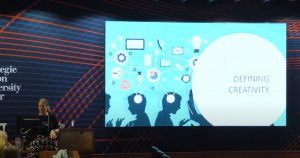 Megan Lotts in Qatar
Last February, Megan Lotts gave a lecture in Doha, Qatar for Carnegie Mellon University, Qatar. The lecture, titled “Fostering a Culture of Creativity and Play in Libraries,” is based on a forthcoming book project with ALA. Watch the video here.
 High Praise for Zara Wilkinson’s Guide
Zara Wilkinson received a request to use her So You Want To Talk About Race research guide as part of a book discussion being held by ActionHoco, an organization based in Howard County, MD. Zara agreed, of course, and the guide has been posted to the Facebook page set up for the event. Congratulations, Zara!
Krista White Blogs about Teaching with Digital Projects
Krista White recently authored a guest post for the “Teaching Tuesdays” series on the P3 Collaboratory’s blog. Check it out to learn how digital pedagogy can be enhanced with creative, active learning digital projects as course assignments.
Libraries Get Steppin’
Some of us participated in a 10,000 step team challenge sponsored by our medical plan. It was really fun and we all motivated each other. It ran all December and into January. There were five rounds and my team won four, and I believe we’ll win the last one. My team was 12th out of 358 teams! My team was two people from Central, 2 from Newark and one from Camden, so we had a decent representation of people. The team building and encouragement was wonderful and it was also something healthy for all of us.
Submitted by Mary Beth Weber
Tips for Planning Virtual Events
The Rutgers Event Planners Network (REPN) recently hosted a REPN Café with tips for planning virtual events. You can view the recording here.
 Great Things to Know about Rutgers
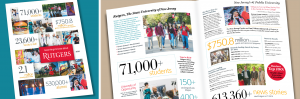
Earlier this semester, President Holloway wrote to the university community to express his enthusiasm for the good news about Rutgers highlighted in the Great Things to Know about Rutgers brochure. In his email, he encouraged the Rutgers community to share his Rutgers pride and to spread the word about our remarkable university.
Great Things to Know about Rutgers conveys what makes Rutgers an academic, health, and research powerhouse and a highly respected institution. Produced by the Department of University Communications and Marketing, this complimentary publication is available as a PDF download, as an ebook, and in print. You can order printed copies using the brochure order form. We hope you make good use of the brochure and thank you in advance for your patience as our department makes it available to the Rutgers community under the current challenging circumstances.
Serving CCC during the Pandemic
Robeson Library serves as the library for Rowan University and Camden County College’s Camden campuses. Although the Rowan and CCC computer lab was shut down in March to ensure social distancing, John Gibson, instructional technology specialist, and Ann Marie Latini, head of Access Services, worked with me to ensure these students continued to have access to the all of Rutgers resources and the Rutgers Computer Lab. In addition, I worked with Rowan and CCC teaching and library faculty to create new course guides, pivot to online library instruction, and direct Rowan and CCC students to use online chat.
Submitted by Bart Everts


 The State of New Jersey has established a NJ vaccine scheduling system registry. COVID-19 vaccinations will be made available in phases to ensure those most at risk are prioritized. The registry is designed to send an email to individuals about the status of vaccination availability.