Category: Units

  • Update on the Basie Collection

    The Institute of Jazz Studies has been working diligently to inventory the Basie family papers as part of the project funded by a $433,500 Save America’s Treasures Grant, awarded to the Institute in late 2020.  Ben Houtman started in his position as Project Coordinator in January 2021 and quickly facilitated the safe transport of the collection to Dana Library for the inventory.  After the inventory is complete, the Institute will send unstable and damaged artifacts and archival materials from the collection to a team of conservators for treatment.  Finally, with support from a $23,500 New Jersey Historical Commission grant, the Institute will arrange and describe the archival materials in the collection to open it for use in 2022.

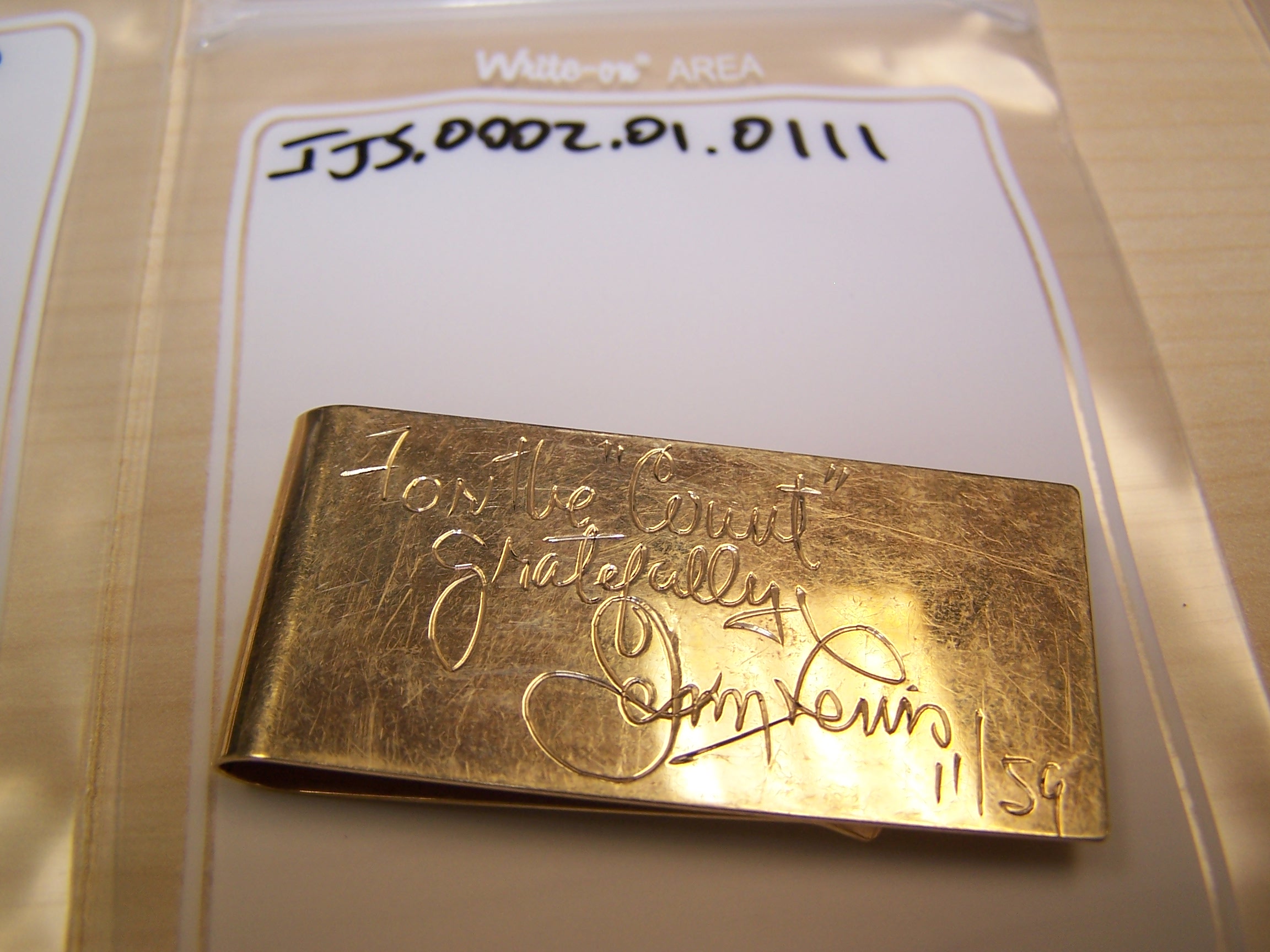
    14k gold money clip, inscribed from Jerry Lewis to the “Count”
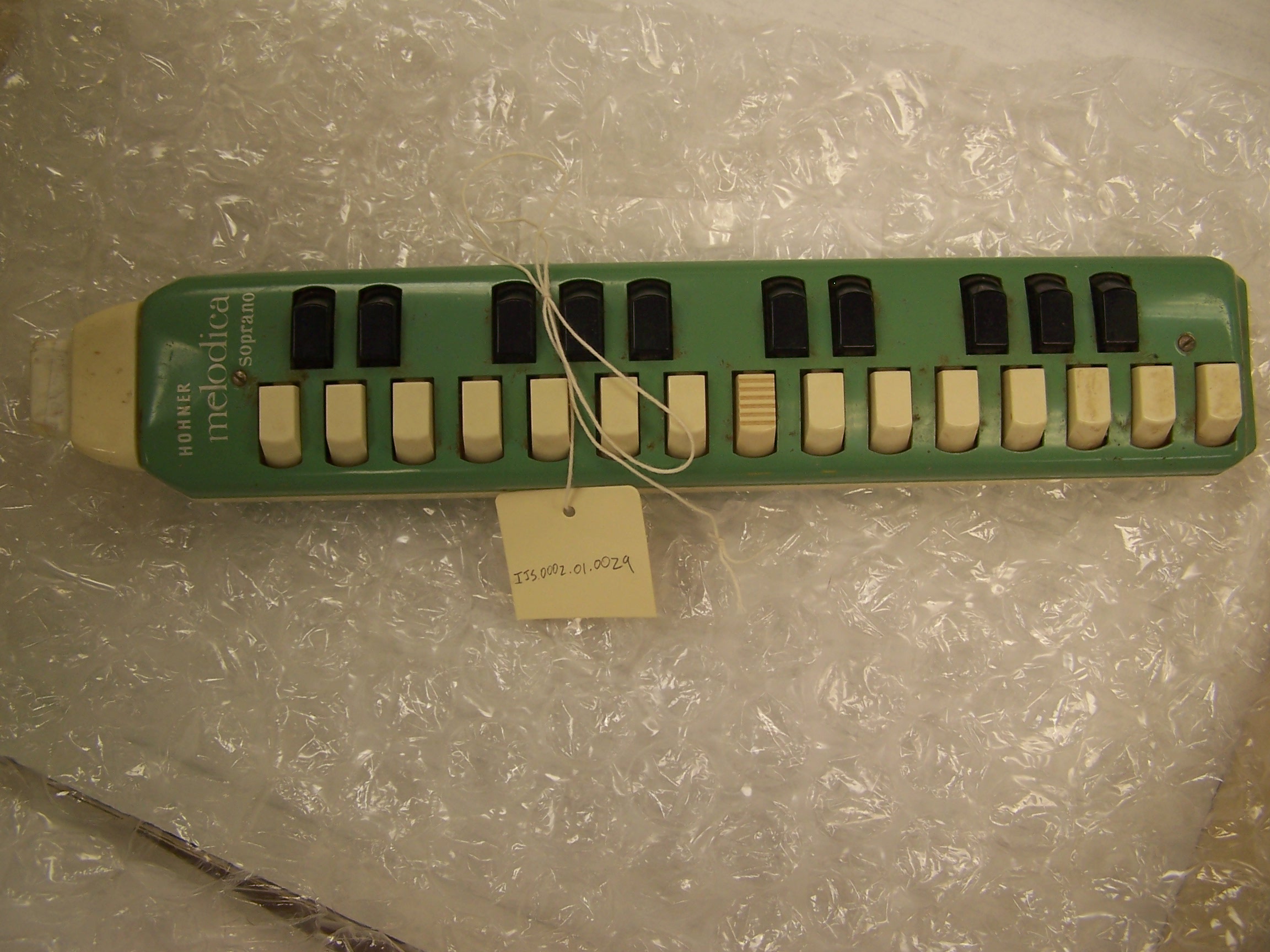
    Hohner soprano melodica
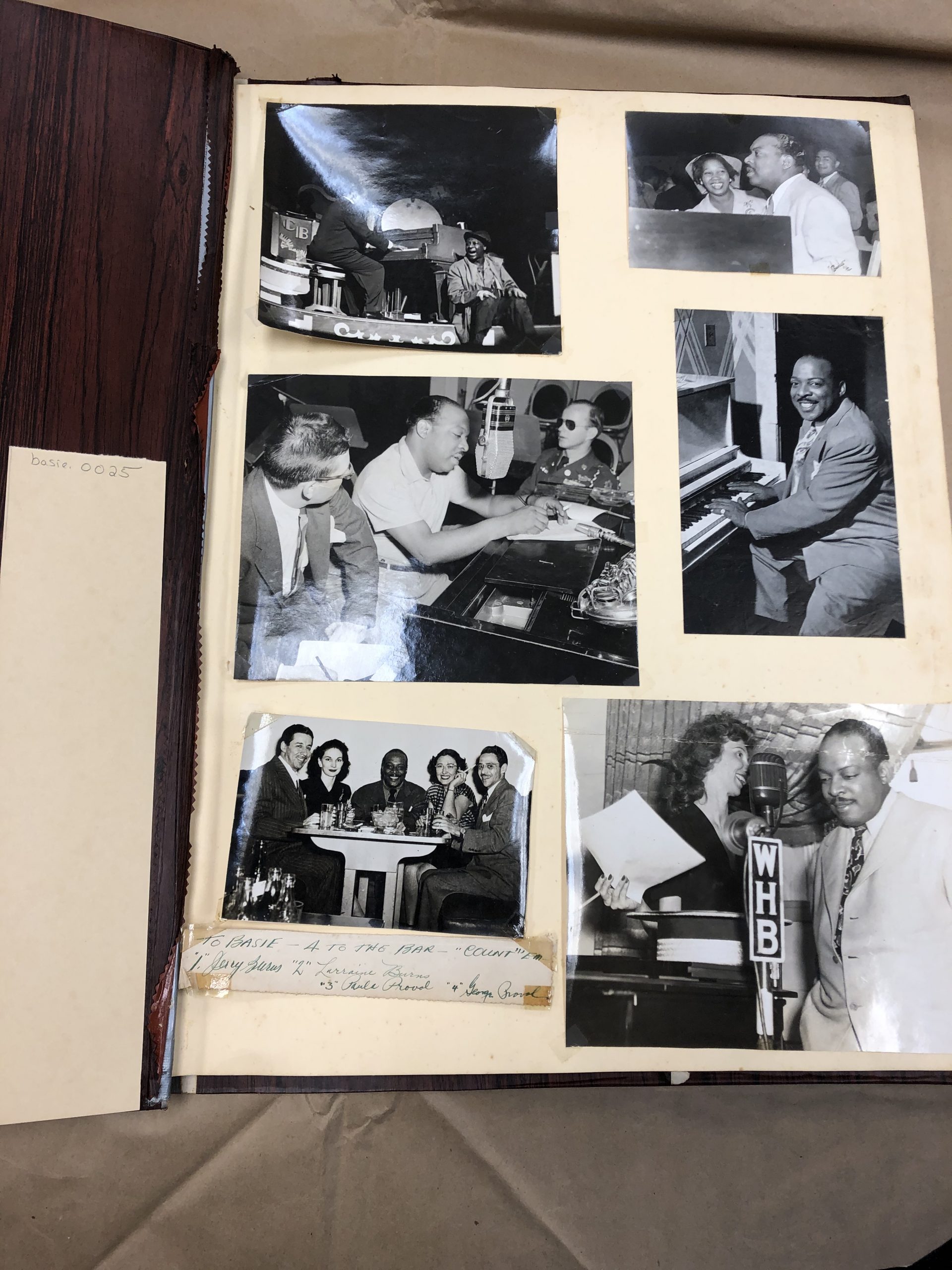
    Photo album page
    Ebony Lifetime Achievement Award to Count Basie
  • Rutgers Connect Recent Changes and Enhancements

    OIT has announced some recent changes and enhancements in Rutgers Connect. We’ve highlighted and described some of them here. Some are already available, while others are currently rolling out to all Microsoft users. Please do not hesitate to contact IIS at support@rulhelp.rutgers.edu if you have questions or comments about these new or enhanced features, or anything in Rutgers Connect.

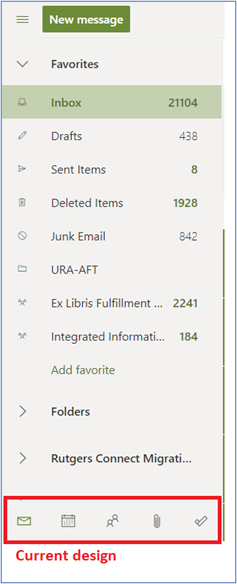
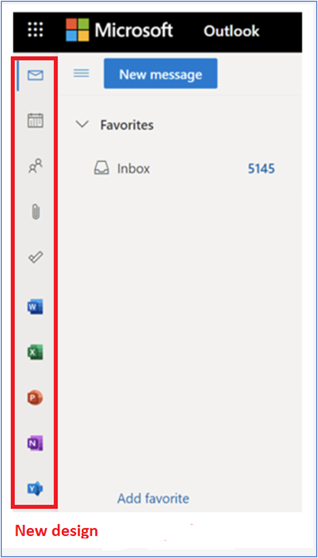
     Outlook on the web (OWA): Update in Accessing Mail, Calendar, People, and To Do

    Microsoft is rolling out a newly designed app bar on the left side of the folder pane that will change how users access Mail, Calendar, People, and To Do. The app bar will make it easier to launch Word, Excel, PowerPoint, and OneNote on the web directly from Outlook on the web.

    OneDrive: 250GB Upload Capability 

    Microsoft is raising the upload file size limit of its OneDrive file storage service from 100GB to 250GB. This improvement will allow users to upload files of up to 250GB into OneDrive, Teams, and SharePoint. Please keep in mind that factors such as bandwidth, location, and network capacity may impact large uploads.

    Microsoft Word: Text Predictions

    Microsoft has begun rolling out a new text prediction feature to speed up the writing of documents written in English. Word will highlight grayed-out predictions when users are writing a document. Suggestions can be accepted using the Tab key or rejected by hitting Escape or continuing to type. The new text predictions feature will be enabled by default but can be disabled if desired. The feature reduces spelling and grammar errors and learns over time to give the best recommendations based on your writing style. Text predictions were previously made available in Outlook on the web where it can also be disabled if desired.

    Microsoft Word: Modern Comments

    Modern Comments, first introduced in the mobile and Web versions of Word, have been improved based on feedback and are now available in Word for Windows and Word for Mac. Enhancements include improved keyboard shortcuts and @mention notifications and will start rolling out to Windows and Mac users in April. Modern Comments offer enriched collaboration coupled with the ability to assign and resolve comments and respond to @mention notifications via email.

    Microsoft Teams: History Menu

    Microsoft has introduced a history menu in the Microsoft Teams desktop clients that displays a user’s recently visited locations. By hovering over the backward and forward navigation buttons at the top of the Teams client, users will be able to see recently visited locations in Microsoft Teams. The history menu makes it easier to navigate to previous locations, such as nested tabs and documents.

    Teams Meetings: Participants Increased

    Microsoft is increasing the limit of participants and chat size in interactive meetings from 300 to 1,000.

    Microsoft Teams: New File Sharing Experience

    Microsoft is updating the file sharing and access control experience in Microsoft Teams to align with the existing functionality across the other Microsoft 365 applications. When users share a file from within Teams (desktop/web), they will have the option to create sharing links that provide access to people with existing access, people within your organization, and specific people. Before users share a file in a chat and channels, they will be notified if recipients don’t have permission to view the file. The user can change permissions before they share the file (if they have permission to do so). The default file sharing setting for Teams will remain the same and will continue to reflect default permissions in SharePoint, as the two work together.


  • Insights Analytics Tool Now Available in Canvas

    Library Tutorial Insights assessment and reporting provides a view of assessment and usage data for the tutorials that are used in a course. The detailed interface allows the course instructor to analyze learner performance on specific assessment questions, gauge students’ information literacy skills, and respond to problem areas more quickly and efficiently.

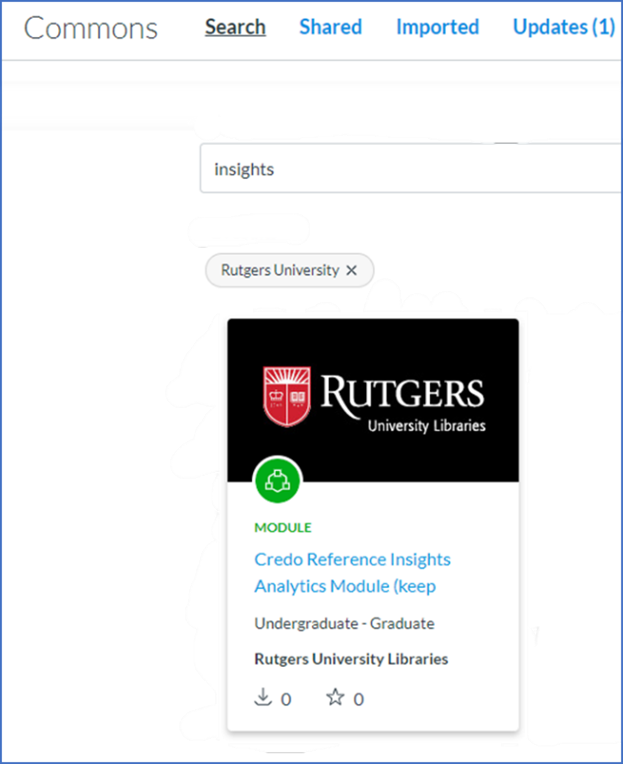
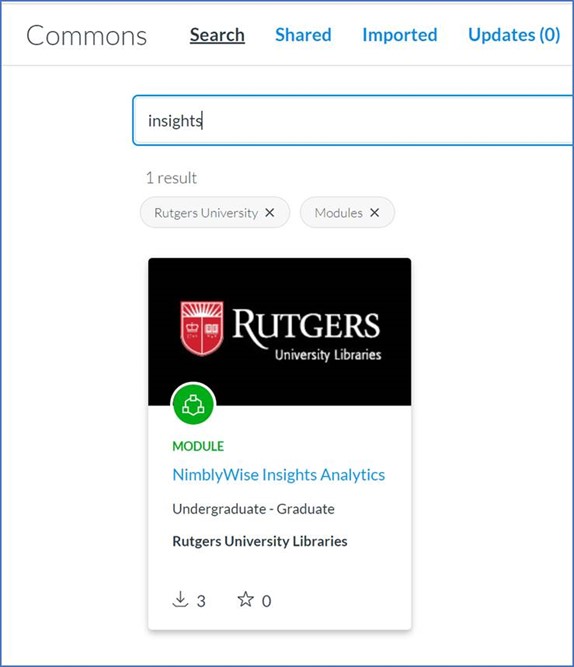
    NimblyWise and Credo Reference Insights Analytics tool is now integrated in the Canvas master courses:

    • Communication
    • Critical Thinking
    • Information Literacy
    • Health Sciences
    • Core Information Literacy and Critical Thinking

    Instructors who download any of these resources from Canvas Commons will have the option to use the Insights tool from within their Canvas course:

    Instructors who already have the library lessons in their course can download just the Insights tool from Canvas Commons:

    For questions about Library tutorials, contact Maria Breger at maria.breger@rutgers.edu

    View the complete list of the Libraries Teaching & Learning topics.

  • Website Redesign Project Update – May 2021

    The redesign project reached a real milestone late last week, with the official handoff of the website from NewCity to the Rutgers team. This follows an intense period of testing, during which we worked closely with NewCity to ensure that the site was built and working as planned. We’re really pleased with what they’ve delivered and think it will suit our needs well. We’ll continue to have NewCity’s support over the next few months, both for development work and to consult about content. Amy has been working with subject matter experts and content teams from across the libraries and is excited that the real work of content building is finally underway.

    The team have targeted Wednesday, July 7 for a launch date. This is a huge project with a lot of dependencies, but we’re feeling fairly confident that we’ll hit this target. Several weeks prior to launch, Amy and the project team will be working with front-line staff and faculty to do site walk-throughs and answer any questions about where to find various pieces of information and how to perform common tasks. We’ll also be reaching out to external stakeholders to announce the new site in mid-June. The project team will be developing plans for that outreach over the next few weeks.

    In related news, planning for the libraries-wide adoption of LibCal Events is underway, and the project to develop a new subject vocabulary is wrapped up, thanks to a lot of thoughtful librarian involvement. Subject specialists are in the process of assigning updated lists of subject-specific resources and choosing top recommendations for our users. That project will also set us up to effectively connect users with the appropriate librarian for their subject.

    As always, you’re welcome to reach out anytime with questions or comments. Send us an email: webservices@libraries.rutgers.edu.

  • Ex Libris Implementation Team Update – May 2021

    Ex Libris Datacenter Migration and Outage

    During Memorial Day weekend Ex Libris will migrate our cloud platform which includes Alma, QuickSearch(Primo VE), Leganto, and Esploro to a new datacenter.  From 9:00 PM on Saturday, May 29th until 09:00 PM Sunday, May 30th we expect the entire platform to be unavailable due to this migration activity.  The Ex Libris Implementation Team will be updating the libraries as the date approaches with more details.

    Rialto

    The technical implementation of Rialto is progressing well. The firm order buying cycle configuration is complete and work on transitioning the DDA from Oasis to Rialto will finalize soon. We hope to train Selectors on the use of Rialto over this coming summer.

    Transition to ReShare

    User request history in EzBorrow will not be migrated to ReShare. Instructions are being developed for users who wish to export this data in advance of the transition and will be shared in the near future.

  • Leading the Way into the Future

    It’s hard to believe that this is my last article for the Agenda. When I look back at all that we have accomplished since I arrived at Rutgers in 2015—from the implementation of our new library system and QuickSearch, to the repeated successes of our Open and Affordable Textbooks program, to our pivot to an online-centric model of service delivery in the face of COVID-19, to our redesigned website, to the countless other achievements that I don’t have space to mention here—I cannot help but feel an overwhelming sense of pride. Looking back at the work that we have been able to accomplish to advance teaching and learning at Rutgers in these six years leaves me feeling incredibly grateful and fortunate to have had the pleasure of leading such a hardworking, intelligent, and creative group of colleagues.

    But all things must come to an end, and before I leave you in the capable hands of Consuella, I thought I would take one last opportunity to orient us toward the future and encourage you all to continue down the path we’ve begun charting during my tenure as university librarian.

    As a new article in The Chronicle of Higher Education illustrates, libraries are well-situated to lead their universities into the new era of higher education—not only because of the expertise we developed as we nimbly pivoted our services online with the outbreak of the pandemic, but also because of the community-building, “front porch” role our physical spaces will serve as students and faculty begin to repopulate our campuses. Over time, we’ve gained the experience and developed the tools to be leaders in this moment, but it’s up to us to make sure we are ready to answer the call.

    Put simply, now is the time for libraries to shine. If the past year has taught us anything, it’s that libraries have the ability to be impressively flexible and inventive in the face of unforeseen challenges, with a sharp focus on meeting our users’ needs and maximizing the impact of our limited resources. With disruptive changes ongoing in the scholarly communication and higher education landscapes—from new transformative agreements to the emergence of the hybrid classroom—we will need to continue demonstrating such ingenuity for the foreseeable future.

    While I am stepping down from my position, I am not leaving Rutgers. I know the Libraries will do well under Consuella’s leadership, and I am certain that the next university librarian, whoever they may be, will be able to build on the significant momentum we’ve gained over the last six years. I look forward to the next chapter of the Libraries’ history, and I feel confident that we will realize our place, in the words of President Holloway, as the “heart of the university.”

    One last time, on behalf of all the Rutgers students and faculty that we serve: thank you for everything that you do.

  • Storing Files in Box – Personal Folder vs Group Folder

    Box is a cloud-based file storage application where students, faculty and staff can securely store, manage, and share files. With an unlimited storage capacity, Box offers a great way to store lots of data and share it with colleagues. However, there are some important distinctions between using a ‘personal share’ and a ‘managed group share.’

    What is the difference between a personal folder and a group folder?

    When you activate your Rutgers Box account, you can begin storing and sharing data right away. When you share a folder from within your Box account with a colleague, that is considered a personal share, because you are the owner of the share.

    When you open a ticket and request a Box folder, that is a managed group share. In this case, users are assigned to have access to the folder, but no user owns the share. If you want users added or removed from the share, you must open a ticket.

    This is an important distinction because if you are sharing data that is part of a personal share, and the owner leaves the University, the data will no longer be accessible. However, with a managed group share, that data will continue to live perpetually, regardless of the status of its members.

    How can I tell if my folder is a personal folder or a group folder?

    Managed group shares are typically enclosed in parentheses. However, you can also verify by doing the following:

    1. Login to your box account (box.rutgers.edu).
    2. Right click on a folder.
    3. Select “More actions.”
    4. Select “Manage collaborators.” If the owner is “Share-RUL,” then it is a managed group share.

    How do I request a group folder?

    Send an email to support@rulhelp.rutgers.edu. We will need you to suggest a folder name and tell us who should have access to the folder, and what permissions you want them to have.

    For more information, visit Rutgers Box Storage Service page in Staff Resources.

  • Reading List: Documentation and Resources Update

    The Reading Lists: Documentation and Resources LibGuide has been updated to include another page that describes additional functionality.  New content includes a quick start guide as well as printable handouts.  Liaisons can share this information with course instructors whether their courses are in Canvas, Blackboard, or Sakai.

    • Manage Sections (Edit/Add/Move/Set Dates):
    • Add Your Own Resource
    • Set Complete
    • Publish the Reading List
    • View the Reading List as a Student

    View the Reading List: Documentation and Resources.

    For questions about Library tutorials, contact Maria Breger at maria.breger@rutgers.edu

    View the complete list of the Libraries Teaching & Learning topics.

  • Update on LibCal Events

    NBL libcalIn the September 2020 issue of “The Agenda,” we wrote about the numerous modules of Springshare’s LibCal software that are in use at RUL.  This month, we’ll give you an overview and update on one of those modules, LibCal Events, and how it can be used.

    LibCal Events and associated event calendars are already used for scheduling workshops by NBL. Soon, we will be adopting LibCal Events across the Libraries as a replacement for our current event scheduler.  This switch will coincide with the launch of our new website in June.

    Creating events on calendars, displaying events, and registering for events is easily done through the LibCal Events module.  Waiting lists and automated reminders are helpful features for both end users and library personnel. Collection of usage statistics and follow-up survey comments will aid us in improving our future events and their scheduling. In addition, users will be able to search the calendars displayed on the website and filter by location and category to find events that are of interest.

    The next steps include forming a team of representatives from all library divisions to establish vocabularies for filters like category. That standardization will aid users in their searches, provide a basis for statistics collection, and enable the module to be useful across all libraries. Some of you will be contacted soon for this short task.

    For more information about LibCal Events and calendars, contact the LibCal Admin, Marty Barnett (martyb@rutgers.edu).  If you have questions about the website redesign, you can send email to the Website Redesign Team (webservices@libraries.rutgers.edu).

  • Website Redesign Update: March 2021

    The redesign project has moved into development, an exciting phase when we’re starting to see all our hard work turn into an actual website. This follows a few months of wireframe and design approvals, during which we met with each unit to talk through how they can use the new library of building blocks (“components” in website-ese) to put together pages that will best suit their users’ needs. It’s a very flexible system that will allow us to easily keep things fresh, eye-catching, and well-suited to the content we need to present – above all, making sure the site provides easy access to what our users need most. We’ve been testing this component library out with different types of pages (landing pages, informational pages, news items, profiles, etc.) and are confident that it will provide us with what we need.

    A few notable features in development: the database portal will be searchable by title and keyword, with easy one-click access to each resource, short-cutting the “connect” pages that force users through an extra step. A redesigned subject browse will make it easy to locate well-curated, usable lists of subject-specific databases, and database descriptions will be streamlined. We’re also finding ways to surface our librarians and staff in various places around the site. This will help connect users to people who can help, and showcase the expertise we have here at the Libraries.

    A content plan is beginning to take shape, as well as a governance plan that will ensure the long-term integrity of the site and its content. It will be great on launch day, and keeping it that way will require regular attention and maintenance, coordinated around a long-term strategy.

    Related to the redesign, we’re planning to move to LibCal as the Librarieswide means of scheduling events. You can read more about the transition in this issue of the Agenda.

    As always, you’re welcome to reach out anytime with questions or comments. Send us an email: webservices@libraries.rutgers.edu.