Category: Articles

  • GrantForward offers an efficient way to find funding opportunities

    GrantForward contains information on over 25,000 funding opportunities for over $50 billion. These awards are available from federal, state, and foundation funding sources. Users of GrantForward can search this database of funding opportunities in order to retrieve information on what is available and how to apply. Individuals may create personal research profiles. Automatic searches of the funding opportunities database can also be established and run on a routine basis, with the results sent to the user via e-mail. GrantForward is based on the University of Illinois IRIS service, combined with data harvesting technology.

    Instructional videos are available on the GrantForward home page that walk users through limiting search results, sorting search results, creating users profiles, and more.

    A toolbar with the following links appears at the top of the GrantForward home page: Grants, Sponsors, Researchers, and Support. Users should hover their mouse over the link of interest and click accordingly.

    Create Account

    To create a personalized user profile, follow the steps listed below. Rutgers University users are accessing an institutional subscription of this product, which allows RU users to create individual profiles. Please note: RU users need to use a rutgers.edu e-mail address with this product.

    1.  On the GrantForward home page, click on the “Sign Up” link located in the upper right corner of the page;
    2. Enter your Rutgers University e-mail address when prompted, e.g. bob.smith@rutgers.edu;
    3. Create a password;
    4. When prompted to enter account type, select “institutional;”
    5. Click on “Create” to complete the initial process;
    6. Confirm the account via the e-mail sent to your RU e-mail address.

    Find Funding Opportunities

    Search for funding opportunities by mousing over “Grants” on the toolbar and clicking on “Search Grants.” Type relevant terms in the text box, just as you would when executing a Google search. An Advanced Search feature is available which can assist users with limiting results that appear to be too broad. User can choose from the following: any words (same as what is typed in to the text box), exact phrase, all of the words (functions like a Boolean AND – requires that all words appear, regardless or word order), and none of the words. Search filters are also available and appear on the left side of the page. They include:

    1.  Sponsor – type in terms or choose from the alphabetic list provided;
    2. Academic Category – type in terms or choose categories and subcategories from the alphabetic list;
    3. Status – Open. Continuous, or Closed. The system default is set for the first two options;
    4. Sponsor Type – Includes federal, state, or foundation; users may select any/all of the types available;
    5. Grant Type – Filter by types listed, including awards/prizes, fellowships, conference, travel, and more;
    6. Applicant Type – allows users to filter results by awards intended for specific categories of applicant.

    Users can scroll down to view search results. Each funding opportunity has four tabs: Amount, Submission Dates, Eligibility, and Submission Information. To view more detailed information about an available funding opportunity, users can click on the title. Buttons that link to application forms are also available.

    It is possible to sort and export search results. In addition, search strategies may be saved and executed in the database at specified intervals, with the results sent via e-mail.

    Research Profiles

    More about personalized researcher profiles are found under the “Researcher” link on the toolbar. Users will enter basic information (name, institution, department, etc.) in an area for basic information. They can also designate research interests and upload their CV or link to a web page containing lists of their publications.

    Learn More

    Instructional videos are available at the bottom of the home page and provide basic information on how to create a profile or execute a search.

    Save

    Save

  • What Can We Learn from Toy Story? Toward an Open and Collaborative Culture

    What Can We Learn from Toy Story? Toward an Open and Collaborative Culture

    March 29th, Cabinet had our first of three retreats designed to set priorities for [2017-2019] and action plans for 2018. The time we spent together reminded me of how important and at times challenging collaborative work is. In the face of rapid changes in higher education, the scholarly information environment, and user expectations, the kind of problem solving and innovation that comes from working together is more important than ever.

    Working together is not new for those of us working in the libraries. We have decades of experience with councils, committees, and task forces that have made libraries examples of organizational cooperation within the broader higher education community. Almost everything we do in the libraries requires expertise from multiple units.

    I have challenged myself to come up with examples of services that we provide that do not benefit from multiple perspectives and can’t think of one. Everything from designing the discovery interface to making a sign is improved when people with different ideas and points of view work together.

    Unfortunately, the same forces that make working together so important also create organizational and logistical challenges. These include the need for clarity related to decision-making; accountability and authority to assign work; group norms that enable productive work; and time. Each of these could (and may) be its own topic for The Agenda. But for today, I want to reaffirm the value of and need to work together.

    A few years ago, I went in search of examples of effective teams from outside of libraries. During that search, I read Creativity Inc.: Overcoming the Unseen Forces that Stand in the Way of True Inspiration by Ed Catmull and Amy Wallace. Ed Catmull is (among other things) the cofounder of Pixar Animation Studios. In the book, he describes how teams worked together to create Oscar-winning movies like the Toy Story series and Up.

    When I began reading the book, I thought that there would be little that libraries could learn from an animation studio. As I read, I saw many parallels between the unseen forces that the folks at Pixar faced and what we face as an organization. I realized that the similarities made perfect sense—providing information resources and support for faculty and students in a time of such rapid change require true inspiration.

    Toy Story happened to come out at a period in my life where I was following Disney animation. It was interesting to hear the messy, non-linear process that went into developing the movie. When I watched Toy Story and other animated films, I assumed that they began with a script and added animation and voices. They don’t. They start with an idea (a loosely define goal) and the details of the story emerge through a collaborative development process.

    Catmull’s idea for a script seems to map well to the libraries’ goal for a project or the purpose of an initiative. The book describes the approach that Pixar used to move from an idea to a complex and convincing story. What I liked about the book was that he didn’t just describe ‘what they did good’ at Pixar. He talked in depth about serious challenges and how the group worked together to produce consistently excellent results. It was shocking to me that the didn’t start a project knowing what the outcome would be.

    He talked a lot about the importance of sharing expertise, valuing perspectives, and still making progress. He believes that the ability for groups to have open, honest discussions ultimately results in the best outcomes. At one point in the book, Catmull states that “The healthiest organizations are made up of departments whose agendas differ but whose goals are interdependent. If one agenda wins, we all lose.”

    In this time of rapid change, many of the carefully designed formal communication structures and group processes that we have developed over the years may be a thing of the past. But we still need to work together. We live in a time of multiple competing priorities, continuous reexamination of goals against our intentions, and digging deep to ensure that we understand the evolving information and education landscape. We need the kind of creativity and problem-solving that can only happen with active exploration of problems from multiple perspectives.

    Our challenge will be to develop an organizational culture that supports the way we need to function in this environment. We can’t feel like we are always stumbling into the future. We have to appreciate that we are learning to do new work that lacks established models and best-practices and to value openly exploring issues and group problem-solving. Catmull’s approach “is to accept that we can’t understand every facet of a complex environment and to focus, instead, on techniques to deal with combining different viewpoints. If we start with the attitude that different viewpoints are additive rather than competitive, we become more effective because our ideas or decisions are honed and tempered by that discourse.”

    We addressed some difficult issues at the Cabinet retreat. We had multiple perspectives at the table and we had some difficult but productive discussions. We didn’t make any decisions, but I think we made progress toward developing a clearer understanding of the issues that we are facing. We will be looking for your insight as we make decisions regarding priorities. These may be small steps towards creating a more open and collaborative culture, but I think we are heading in the right direction.


    Save

  • The Origins of The Weekly Agenda Newsletter

    During one of my visits to Smith Library, Mina Ghajar mentioned that she knows two people who used to write this very same internal newsletter when it was in the print form of The Weekly Agenda. Jan Leavitt (retired and presently a part-time Librarian at Franklin Township Public Library) and Ann Smith (Head of Adult Services, Franklin Township Public Library) offered to write a short recollection about the origins and content of the earlier version of The Weekly Agenda upon which our new web-based publication is based.


    From Jan Leavitt and Ann Smith:

    The Weekly Agenda was first printed in April of 1979. Instituted by the university librarian as a form of communication to faculty and staff in the libraries on the various Rutgers campuses, it became the newsletter announcing the many happenings in the Libraries.

    The faculty and staff news items included professional development announcements of various conferences, along with grant and publication opportunities and reports to the library community from those attending meetings outside of Rutgers. The Agenda also included fundraising updates from the University Foundation regarding the Parents and Friends donations to the Library budget, which supported the Libraries. Library employment vacancies were listed in The Agenda, and the library calendar of events for the month was printed on the back page. Also included on the back of The Agenda were the various exhibits on the three library campuses.

    Occasionally we would put out an April Fool’s type of publication which everyone seemed to get a laugh out of and enjoyed. One that comes to mind was the April 1, 1990 issue.


    Happily, thanks to Janie Fultz’s archival tendencies, we have bound copies of earlier issues of The Agenda. Enjoy this PDF of the April 1, 1990 issue of “The Weakly Agenda” which features a tongue-in-cheek obituary for Ken Kuehl (death by axe – one heck of a way to go); the introduction of a new policy to install “grease trucks” outside of the libraries (which as we now know was remarkably prescient); and the formation of the Acronymiacs Anonymous to combat our tendency to speak in acronyms.

    Save

    Save

    Save

  • Performance Appraisals for URA-AFT Employees Are Due April 30

    It’s Performance Appraisal time again! The program has two components: performance evaluation and merit increases.

    In anticipation of an announcement from University Human Resources regarding the performance appraisal program for URA-AFT employees, managers and supervisors should remind their URA-AFT employees to begin a self-appraisal. To be eligible for the Staff Compensation Program (SCP), URA-AFT employees must be in a program-eligible title on or before January 1, 2017 and remain employed in a URA position through the payment date of the merit increase. The SCP runs from May 1, 2016 through April 30, 2017. Self-appraisals should be completed by April 15, 2017. Managers and supervisors must complete performance evaluations and notify eligible employees of the appraisal by April 30, 2017 and provide the employee an opportunity to comment in writing by June 1. Any employee comments are attached to the appraisal.

    Staff are evaluated against performance standards that were established during the previous evaluation process and include any additions or modifications that have been communicated to the employee during the year. The two rating categories are Meets Standards and Does Not Meet Standards. At the completion of the evaluation, supervisors establish standards for the next year’s evaluation process and discuss with each employee.

    Please note: For RBHS staff, evaluations for CWA Local 1031 are due in November. HPAE Local 5094 and Teamsters Local 97 evaluations are due in the anniversary month.

    Additional information will be forwarded when the official appraisal and merit programs are announced.

    Below are links to the UHR webpage to assist you in the process.

    If you have any questions, please do not hesitate to contact Libraries HR.

    Save

  • Schedule of important events and upcoming dates

    Please check your calendar and save the dates for these important upcoming events. More information will be circulated as we have it available.

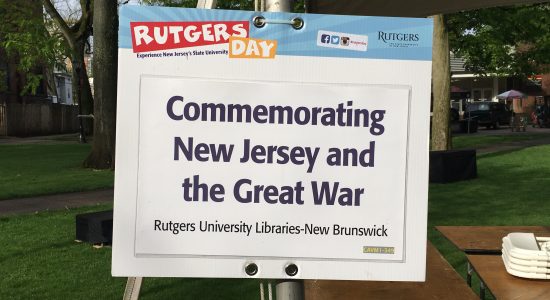
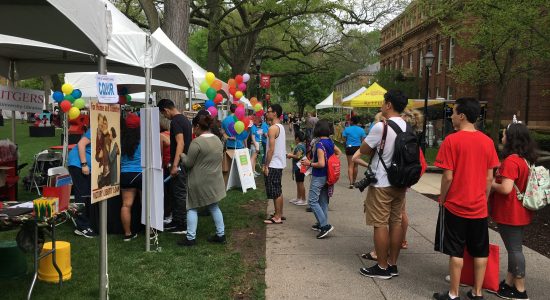
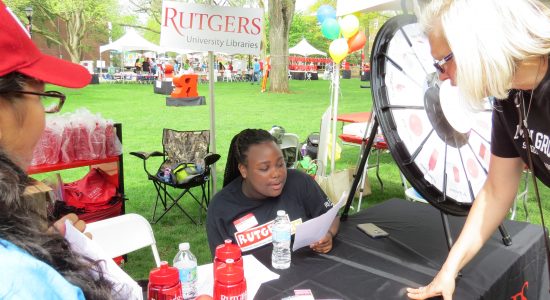
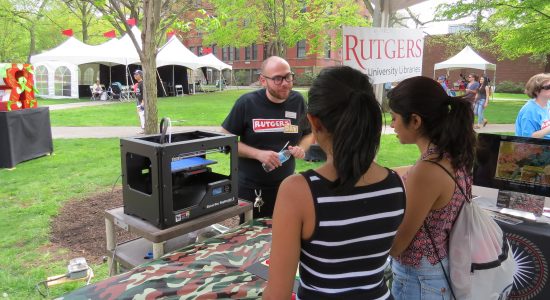
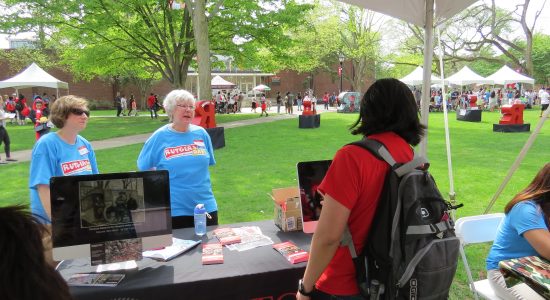
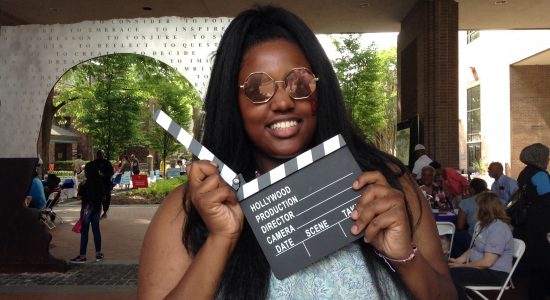
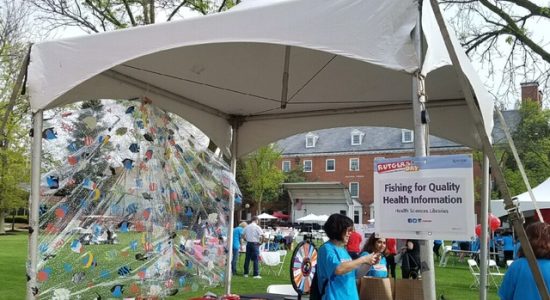
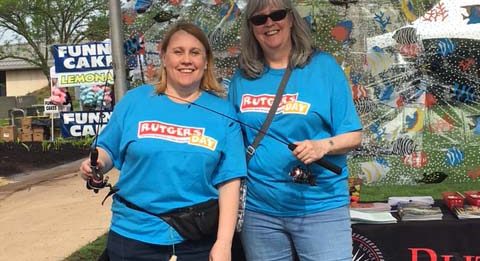
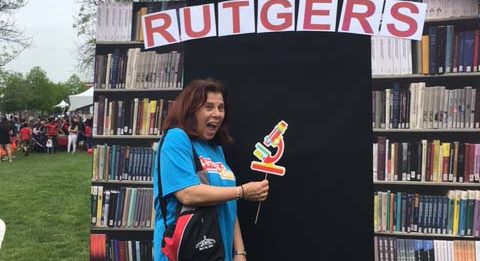
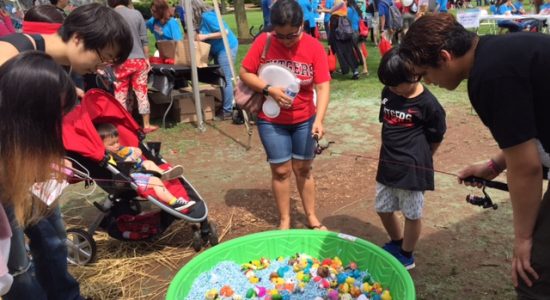
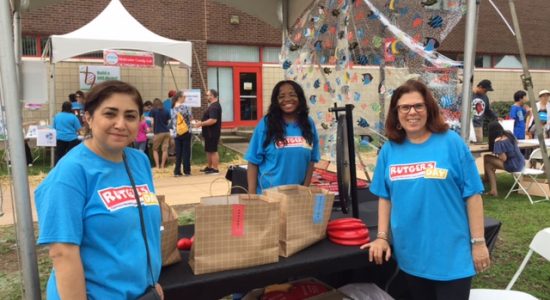
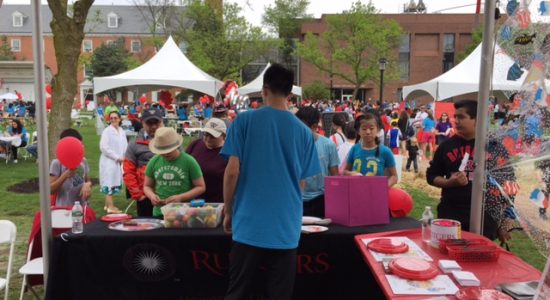
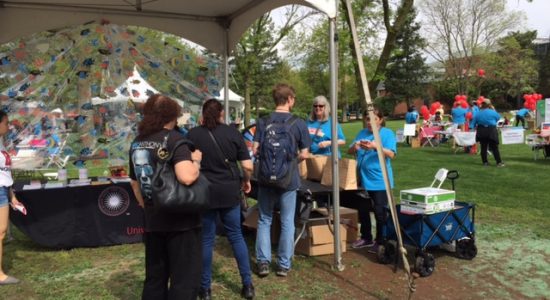
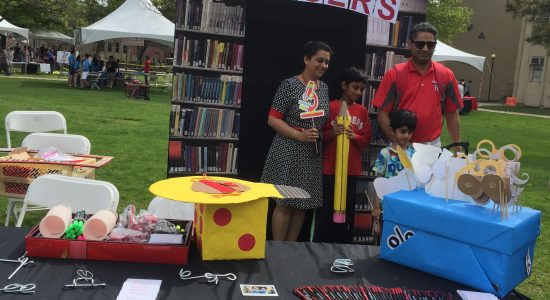
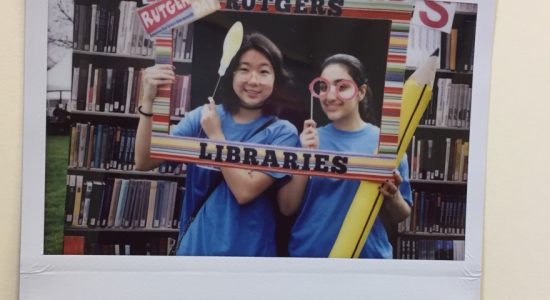
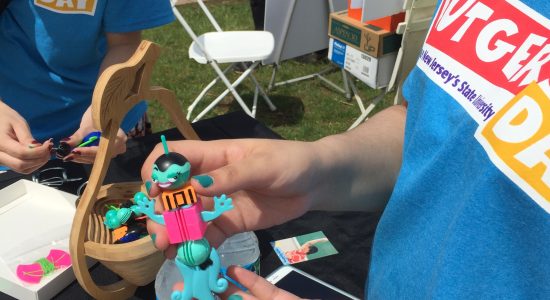
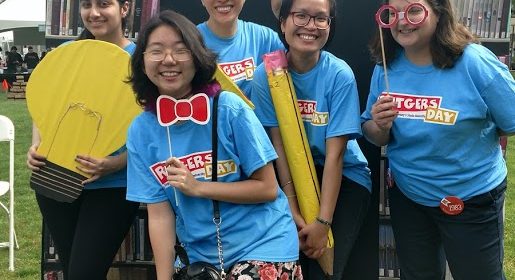
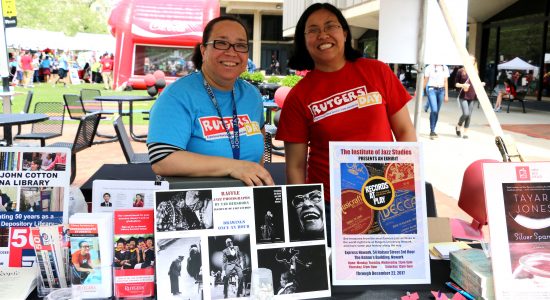
    Rutgers Day (4/29/17)

    New Brunswick – Voorhees Mall, College Avenue Campus; math department table.

    The Rutgers Day New Brunswick committee is looking for loans and donations of the following items:

    • Army blankets (clean, but fair condition with holes would be ok)
    • Childrens’ books (especially those dealing with resolving conflicts)

    If you have something you could share with them or would like to work at the Voorhees tent, please contact Stacey Carton or Tara Kelley.

    RBHS – Busch Campus. Please check in with Pam Hargwood or Peggy Drekker if you can work at Rutgers Day.

    Camden – Busch Campus. Please check in with Monique Whittle or Zara Wilkinson if you can work at Rutgers Day.

    Newark – Busch Campus. Please check in with Tad Hershorn if you can work at Rutgers Day.

    **Remember you have to also discuss working at Rutgers Day with your supervisor. Time worked must be compensated and cannot fall into overtime.

    Spring Town Hall (5/23/17)

    Our speakers will be in the Dana Room at Dana Library in Newark with teleconference to the following locations:

    • Camden, Robeson Library, Room 290
    • RBHS Newark, Smith Library, Room C916
    • New Brunswick, Cook Campus Center, Multipurpose Room BC

    Please RSVP so we can make sure we have enough refreshments at each location.

    Faculty & Staff Appreciation Picnic (September-ish)

    Yes! The Rutgers 250 celebration was a lot of fun, so we are planning to hold another staff appreciation event this fall. We’ll circulate a date for this as soon as we can. We have something pretty fun planned for the event and hope to have more to share soon.

    State of the Libraries (12/6/17)

    The 2017 State of the Libraries will be held at the College Avenue Student Center and will, once again, have a poster presentation. More information will be available soon, but we encourage everyone to discuss possible poster ideas with their supervisors and director/AUL.

    We are also happy to announce that the video from our 2016 State of the Libraries is now available here.

    Save

  • New Preprint Database from University of Pittsburgh Health Sciences Library Available Now

    The University of Pittsburgh Health Sciences Library has introduced a new federated search engine that enables users to simultaneously search a number of databases which allow for the deposit and peer review of prepublication article manuscripts. Researchers can access articles on the most current topics prior to their final publication. The resource has blog-like features which allow others to discuss the article prior to its submission to a publisher, resulting in a thread of scholarly communication between the author and members of the scientific community. The database, bioPreprint, may be found at http://www.hsls.pitt.edu/resources/preprint.

    A preprint database offers open access to articles with authors who want to “make their findings immediately available to the scientific community and receive feedback on draft manuscripts before they are submitted to journals.” Articles which appear in these databases are not copy edited but are scanned for plagiarism, offensive language, etc.

    bioPreprint includes articles from the following:

    • arXiv (pronounced “archive,” it covers mainly quantitative biology), physics, mathematics, computer sciende, nonlinear sciences, and statistics from 1991 forward
    • bioRxiv (pronounced “bio-archive”) information includes ranges from animal behavior and cognition to clinical trials, from neuroscience to zoology
    • F1000Research This database includes posters and slides, each of which receives a digital object identifier. Articles with source data are published within one week; they are indexed by Scopus, PubMed, and Goofle Scholar.
    • PeerJ Preprints covers biological, medical, and computer sciences. Their aim is to reduce publishing costs borne by authors while at the same time publishing innovative research.

    Each database is linked from the home page of bioPreprint and may be searched separately or simultaneously. The bioPreprint database is easy to search. It is word or phrase searched, with words in a phrase surround by quotes or literals. Terminology is typed into the textbox provided on the home page. Results take a few minutes to gather. For users who want to narrow their results, the database allows limiting; in the lower left corner of the results is displayed a tally of the top results, followed by phrases and article counts, e.g. human brain development (10) under “zika virus.”. These phrases may be clicked and will yield a second set of results specific to the limited topic focus. Users can click on the title of each article displayed as a result and are taken to the original database where the article was deposited. There, it is possible to view the draft article, as well as reader comments.

    The database provides users with directions on how to cite these preprint publications. For those who are performing a systematic review of a topic, bioPreprint may be an important source of information.

    Users are also encouraged to download the “bookmarklet.” This integrates text from any web page, such as a meeting web site seamlessly. Users download this into their web browsers. It is possible to use the bookmarklet as a pop-up search engine to look for unpublished manuscripts by word or phrase within the online contents. Further information on the bioPreprint bookmarklet, along with directions on downloading and searching, are available on the database’s home page.

    Those who are interested in specific academic journal policies with respect to preprint publication should go here: https://en.wikipedia.org/wiki/List_of_academic_journals_by_preprint_policy.

    Save

    Save

    Save

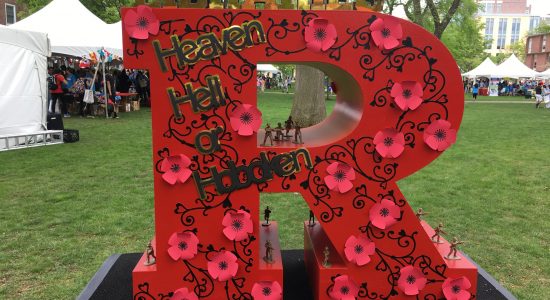
  • New SCUA Exhibit: “Heaven, Hell, or Hoboken!”: The Great War in New Jersey

    Click to enlarge

    From the western front to the home front, the experiences of New Jerseyans will be on display at Special Collections and University Archives through one-of-a-kind documents, photographs, and artifacts. The exhibit, curated by Flora Boros, opens March 9 with a reception and a Bishop Lecture by Dr. Virginia A. Dilkes on her father’s combat experiences. Everyone is invited to attend, but please RSVP to events@libraries.rutgers.edu.

    About the exhibit:

    New Jersey played an important role in World War I. Not only did the Garden State make significant financial, industrial, military, and psychological contributions from the outset of the bloody conflict, but it would ultimately provide 72,946 recruits and 46,960 volunteers, with an additional over 20,000 serving by the War’s end. In total, 3,836 New Jerseyans were lost to combat, accident, or disease.

    “Heaven, Hell, or Hoboken!”: The Great War in New Jersey (on display March 9 – September 2017, Alexander Library, 169 College Avenue, New Brunswick, NJ) focuses on the individual experiences of these Jersey doughboys and servicewomen who bravely went “Over There,” and the families and neighbors who remained behind, “Over Here.”

    The exhibit takes its name from Commander in Chief John J. Pershing who—predicting a swift resolution to the deadlocked western front—promised his men that they would be home by Christmas of 1917. His patented promise of “Heaven, Hell, or Hoboken!” became a national rallying cry for the nearly 1.8 million Americans that passed through Hoboken on their way to the European battlefront.

    Split into two parts, the exhibit begins with “Over There,” featuring rare watercolors by Swiss artist Gustave A. Wendt, artist Lute Pease’s political cartoons for the Newark Evening News, soldiers’ frontline diaries, letters from the Rutgers College War Service Bureau, trench newspapers, albums and scrapbooks from servicemen and servicewomen, and a complete French gas mask kit. Continuing with “Over Here,” the exhibit features a homemade service flag hung in a Branchburg family’s window, volunteer armbands, the John A. Roebling’s Sons’ patented torpedo nets, memorabilia from Camp Merritt, and posters from our Liberty Bond Poster Collection.

    The exhibit includes loans of 29th “Blue and Gray” Division artifacts and souvenirs from the National Guard Militia Museum of New Jersey, wartime medical supplies from the Johnson & Johnson Archives, and postcards from the Special Collections of the George F. Smith Library of the Health Sciences at Rutgers Biomedical and Health Sciences.

    On March 9, Special Collections and University Archives will open the exhibit with a reception and lecture by Dr. Virginia A. Dilkes who will present “Through the Eyes of a WWI Combat Engineer,” based on her father’s experiences during the war. This event is open to the public and begins at 6:00 p.m. at Alexander Library (169 College Avenue, New Brunswick, NJ).

    This exhibit is part of a series of events around New Jersey to commemorate this anniversary. For a complete list, check here. Additional events will take place at the Libraries throughout the year including a WWI poetry reading during National Poetry month on April 18 and an additional exhibit in Paul Robeson Library at Rutgers University–Camden.

  • 2018 and 2019 planning kicks off this month

    2018 and 2019 planning kicks off this month

    Say it isn’t so!

    Believe it or not, the 2018-2019 planning process is beginning.  This will be our third planning cycle under the RCM model, so we are gaining an understanding of the flow of things.  Over the last few weeks, Cabinet has developed a planning calendar to guide our strategic discussions and budget requests.

    Based on what we have learned in past years, our planning process can be thought of in three phases.  In each of the three phases, we have to address library planning for the upcoming fiscal year (2018) and future year (2019) budget requests.  (I know, this is where everyone’s eyes glaze over, but it isn’t as bad as it sounds!)

    Why three phases?  Rutgers Libraries serves the needs of three distinct campuses and a health system.  We need to support the unique needs of each of the communities with a single shared infrastructure.  In the first phase of the process, we address the feasibility of initiatives and look for ways to optimize our infrastructure.  By doing this together, we have a transparent process with many voices at the table. The second and third phases address two necessary parts of planning – creating a plan and creating a budget.

    Phase 1: Environmental scan.  During this part of the process, the library directors will assess the needs of their local communities, identify gaps, and develop a list of local priorities for their collections, services, and spaces.  It will be up to each library director to determine how they conduct their local process, so if you have questions, be sure to ask your director.

    At the same time, infrastructure units will be assessing their capacity.  What projects are starting and ending, are there projects waiting to start?  Are elements of the infrastructure outdated or at capacity?  This analysis will result in a better understanding of the capacity of our infrastructure and whether we can take on new services.

    In late March, Cabinet will meet in an all-day retreat to review priorities and activities and to identify themes and overlap. We will look at the capacity of our infrastructure and determine which priorities we can accomplish with our existing infrastructure, which will need additional funding, and which should be tabled until the next planning process.  This meeting will result in list of priorities that have been vetted for feasibility for further consideration.

    One of the challenges we face is that because we have yet to receive our working budget for 2018, we can’t be certain which priorities will be covered by our 2018 plan and which may have to become part of a future budget request. So, for the time being, we will include all priorities in a master list so we don’t miss anything important. In April, we expect to receive our working budget for 2018, which will give us essential information into the staging of the priorities.

    Phase 2: Develop a 2018 plan.  At this point of the process, we will have all the information we need to establish our plan for 2018, which we will do at a late May retreat.  We will use the working budget to separate the master list of priorities into two categories: priorities that have 2018 funding and are therefore part of the 2018 plan, priorities for which we do not have capacity.Before finalizing, the 2018 plan will be returned again to the units giving directors a chance to discuss these activities more broadly on campus. Since many items on this plan will take more than a year to accomplish, the 2018 plan is then incorporated into the Library Priorities spanning 2017-2019 that will be announced at the State of the Libraries meeting in December 2017.

    Once we have made our plan for 2018, we are left with a list of priorities for which we do not have capacity. This is where things become more difficult as we have limited resources and must decide which priorities will be included in the 2019 budget request and which will be postponed.  I have learned in my time at Rutgers that it is difficult for us to say that we are not going to do something.  We have a talented, capable group and I have seen amazing things accomplished; but it is important for us to be clear about what is possible. Which brings us to developing our 2019 budget request.

    Phase 3: Develop a 2019 budget request.  In this phase, we take the list of priorities that do not have funding and determine what we should do.  Are the priorities important enough to develop budget requests?  We have learned that the most successful budget requests are based on data.  For example, we received funding for new information resources because we could provide evidence of use of similar resources.  If the priority is not well suited for an external budget request, is it something that we might internally fund through the reallocation of resources?  Or is it something that has to be put on hold?  At a Cabinet retreat in August we will finalize the budget requests.

    After a few months, the entire process will commence again with the plan for 2018 and budget request for 2019 quickly seguing into the plan for 2019 and the budget request for 2020. The planning calendar that cabinet has developed will help us stay on top of this process and  ensure that we are doing the right things to make Rutgers better. The process takes months and is continuous, but this has hidden benefits – there are breaks throughout the process that give Cabinet members time to communicate and seek feedback about the progress and because the process is thorough and transparent, we will end up with a cohesive and targeted plan that we can all support.


  • Books That Heal: Reading for Recovery Project completed

    Some of the titles highlighted on the R4R @ Rutgers Libguide.

    In December, the Center of Alcohol Studies Library completed Reading for Recovery (R4R), a two-year ALA-funded project. Judit H. Ward formerly of CAS Library and now Reference & Instruction librarian at LSM was Principal Investigator for the project. The central hub of the project deliverable is already available at: http://libguides.rutgers.edu/R4R. Here, she describes the project and explains what information is available on the libguide.


    As traditional gatekeepers of alcohol literature in the oldest institution related to substance abuse in the United States, the Rutgers Center of Alcohol Studies (CAS) Library applied for this grant with a noble ambition in mind: they wished to connect those affected by addiction to helpful and inspiring books by developing an authoritative and easily accessible resource for bibliotherapy, clinical practice, and education.

    In its modern application, bibliotherapy has been used to treat a variety of disorders, including insomnia, anxiety, obsessive compulsive disorder, and addiction, and it has shown promise for use by both children and adults. Moreover, there is great variety in how bibliotherapy is performed, with some readers working directly under the supervision of their doctor or counselor, while others choose to pursue an entirely self-directed course of treatment. R4R also endorses book clubs that are organized or supported by public libraries, providing ample resources on how to lead book discussions.

    Based on the established selection criteria, R4R has accomplished its primary goal of providing discoverability of titles hidden on the shelves of public libraries for potential readers. The three different R4R platforms, LibGuides, LibraryThing, and Goodreads, provide an opportunity to fill the gap between the selected titles and their readers and to reach as broad an audience as possible.

    A Guide to the Information in R4R @ Rutgers: Reading for Recovery Libguide:

    Three tabs address the three main user groups (i.e., librarians, addiction professionals, and readers in general). Each tab contains several subpages available via pull down menus. Content was collected and organized throughout the entire project for these tabs, covering all areas the project intended in its directives.

    Besides promoting bibliotherapy resources and providing book lists, a popular feature at the Libraries’ State of the Libraries poster display and other conference displays is the collection of supplementary materials, such as word documents, .pdf files, templates, and links to resources that could make the daily work of a public librarian easier. These are in the For Librarians section, under the title Download & Share. At the suggestion of our public librarian member, the R4R team put together its own collection of discussion sheets, bookmarks, and fliers to facilitate book clubs and reading books solo, in addition to collecting and sharing similar resources from other public libraries and publishers.
    Under the For Addiction Professionals tab, a page highlights current information on scholarly resources. In addition to books, recent scholarly articles are also showcased. Material related to twelve step programs are also included, with credits to Alcoholics Anonymous where appropriate. Promoting bibliotherapy for addiction with the help of the appropriate books, training options, and media coverage, this section guides those wishing to turn their personal experience with addiction for the benefit of others via training to become counselors, a significant potential user group in our experience.

    The needs of R4R’s main but hard-to-reach audience are addressed on the For Readers pages detailing the potential benefits of bibliotherapy. The pulldown menu provides select material, organized by genre or audience, with a widget linking to the broader LibraryThing and Goodreads pages for further browsing.

    Conclusion:

    As explained in the final report to ALA, it is fitting that the ALA Carnegie-Whitney Grant supported the final project undertaken by the Center of Alcohol Studies Library. It was a grant from the Carnegie Corporation in 1938 that funded the original project designed to index and organize the entirety of scientific alcohol literature, known as the Classified Abstract Archive of the Alcohol Literature (CAAAL). CAAAL would later serve as a foundation of the institution that would become the Center of Alcohol Studies. Taking inspiration from CAS founders E. M. Jellinek and Mark Keller, broad thinkers instrumental in the design and structure of both the CAAAL project and the CAS, the Reading for Recovery (R4R) project extends this spirit, spanning broader literary, cultural, and philosophical arenas in order to reach populations most vulnerable to substance use.


    Save

    Save

  • SC&I Wide Career Expo – March 20

    We just received an invitation to participate in the SC&I Wide Career Expo on Monday, March 20 from 6-9 p.m. The Expo will be located in the College Avenue Student Center and refreshments will be provided. There is no fee for participating in the Expo.

    This year they will feature two unique spaces for library, company and organizational representatives.

    One space will feature Archival, Academic, Information Technology, Informatics, Data Analytics, School and Public Library representatives to network and discuss careers with our students and alums.

    The second adjacent space for representatives in the industries related to Communication, Journalism and Media Studies.

    This event will also kick-off a new collaboration between SC&I, Rutgers University Career Services, and the Rutgers University Alumni Association called, “The Road to Communication and Media”. The goal of the program is to connect students with alumni in their desired communication and media career fields.

    RSVP to the SC&I WIDE CAREER EXPO at this website: https://www.eventbrite.com/e/sci-wide-career-expo-exhibitor-rsvp-tickets-30497099646

    Save