Author: Roberta Fitzpatrick

  • Deep Dive: JAMAevidence

    Deep Dive will give a bit more insider’s info on some of our resources. Here, Roberta Fitzpatrick gives us some more information about JAMAevidence.

    In 1990, Dr. Gordon Guyatt, Internal Medicine residency program director at McMaster University in Canada began to teach using a new method which he called “Scientific Medicine.” He felt that many clinical decisions were not necessarily rooted in scientific fact and taught his residents to make such decisions based in part on evidence found in the published literature. It eventually evolved into what is currently called Evidence-Based Medicine (EBM) or Evidence-Based Practice (EBP) or Evidence-Based Health Care (EBHC), combining a clinician’s experiences, well as information about the specific patient with the best evidence from journal articles.

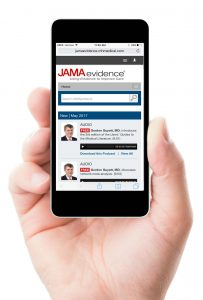
    JAMAevidence, an information resource new to Rutgers and found at https://www.libraries.rutgers.edu/indexes/jamaevidence, is a natural extension from Gordon Guyatt’s original ideas and educational program. In order to assist health professionals in the practice of evidence-based health care, JAMAevidence provides guides to the systematic consideration of validity, importance, and applicability of problems and outcomes in health care. It consists of three textbooks, user tools, and forms useful to the critical appraisal process. Textbooks contained in JAMAevidence are:

    • Users’ Guides to the Medical Literature: A Manual for Evidence-Based Clinical Practice, 3rd ed.
    • The Rational Clinical Examination: Evidence-Based Clinical Diagnosis
    • Care at the Close of Life: Evidence and Experience

    Contents of the first two textbooks have been published as an article series in JAMA, the Journal of the American Medical Association. The User’s Guides are key to understanding the process of critically appraising an article. The Tational Clinical Exam series and subsequent textbook walks the reader through the process of conducting a physical exam of a patient.

    Tools in JAMAevidence include Education Guides, which consist of a library of PowerPoint slides useful in providing instruction on evidence-based medicine concepts; a glossary of over 900 EBM terms; calculators; and two types of worksheets, ones for critical appraisal of articles and those for charting an information cycle.

    JAMAevidnce is simple to use; a navigation bar is located at the top of each page and allows the users to review the contents through pointing and clicking. There is also a search box that allows for retrieval of searched key words. The resources is available on a monthly basis.

    Those who are interested in learning more about EBM may want to consider a review of an article titled “History of evidence-based medicine” by Roger L. Sur and Phillip Dahm from the Division of Urology, UC San Diego, published in the open-access Indian Journal of Urology, https://www.ncbi.nlm.nih.gov/pmc/articles/PMC3263217/.



    Save

    Save

    Save

  • GrantForward offers an efficient way to find funding opportunities

    GrantForward contains information on over 25,000 funding opportunities for over $50 billion. These awards are available from federal, state, and foundation funding sources. Users of GrantForward can search this database of funding opportunities in order to retrieve information on what is available and how to apply. Individuals may create personal research profiles. Automatic searches of the funding opportunities database can also be established and run on a routine basis, with the results sent to the user via e-mail. GrantForward is based on the University of Illinois IRIS service, combined with data harvesting technology.

    Instructional videos are available on the GrantForward home page that walk users through limiting search results, sorting search results, creating users profiles, and more.

    A toolbar with the following links appears at the top of the GrantForward home page: Grants, Sponsors, Researchers, and Support. Users should hover their mouse over the link of interest and click accordingly.

    Create Account

    To create a personalized user profile, follow the steps listed below. Rutgers University users are accessing an institutional subscription of this product, which allows RU users to create individual profiles. Please note: RU users need to use a rutgers.edu e-mail address with this product.

    1.  On the GrantForward home page, click on the “Sign Up” link located in the upper right corner of the page;
    2. Enter your Rutgers University e-mail address when prompted, e.g. bob.smith@rutgers.edu;
    3. Create a password;
    4. When prompted to enter account type, select “institutional;”
    5. Click on “Create” to complete the initial process;
    6. Confirm the account via the e-mail sent to your RU e-mail address.

    Find Funding Opportunities

    Search for funding opportunities by mousing over “Grants” on the toolbar and clicking on “Search Grants.” Type relevant terms in the text box, just as you would when executing a Google search. An Advanced Search feature is available which can assist users with limiting results that appear to be too broad. User can choose from the following: any words (same as what is typed in to the text box), exact phrase, all of the words (functions like a Boolean AND – requires that all words appear, regardless or word order), and none of the words. Search filters are also available and appear on the left side of the page. They include:

    1.  Sponsor – type in terms or choose from the alphabetic list provided;
    2. Academic Category – type in terms or choose categories and subcategories from the alphabetic list;
    3. Status – Open. Continuous, or Closed. The system default is set for the first two options;
    4. Sponsor Type – Includes federal, state, or foundation; users may select any/all of the types available;
    5. Grant Type – Filter by types listed, including awards/prizes, fellowships, conference, travel, and more;
    6. Applicant Type – allows users to filter results by awards intended for specific categories of applicant.

    Users can scroll down to view search results. Each funding opportunity has four tabs: Amount, Submission Dates, Eligibility, and Submission Information. To view more detailed information about an available funding opportunity, users can click on the title. Buttons that link to application forms are also available.

    It is possible to sort and export search results. In addition, search strategies may be saved and executed in the database at specified intervals, with the results sent via e-mail.

    Research Profiles

    More about personalized researcher profiles are found under the “Researcher” link on the toolbar. Users will enter basic information (name, institution, department, etc.) in an area for basic information. They can also designate research interests and upload their CV or link to a web page containing lists of their publications.

    Learn More

    Instructional videos are available at the bottom of the home page and provide basic information on how to create a profile or execute a search.

    Save

    Save

  • New Preprint Database from University of Pittsburgh Health Sciences Library Available Now

    The University of Pittsburgh Health Sciences Library has introduced a new federated search engine that enables users to simultaneously search a number of databases which allow for the deposit and peer review of prepublication article manuscripts. Researchers can access articles on the most current topics prior to their final publication. The resource has blog-like features which allow others to discuss the article prior to its submission to a publisher, resulting in a thread of scholarly communication between the author and members of the scientific community. The database, bioPreprint, may be found at http://www.hsls.pitt.edu/resources/preprint.
    A preprint database offers open access to articles with authors who want to “make their findings immediately available to the scientific community and receive feedback on draft manuscripts before they are submitted to journals.” Articles which appear in these databases are not copy edited but are scanned for plagiarism, offensive language, etc.

    bioPreprint includes articles from the following:

    • arXiv (pronounced “archive,” it covers mainly quantitative biology), physics, mathematics, computer sciende, nonlinear sciences, and statistics from 1991 forward
    • bioRxiv (pronounced “bio-archive”) information includes ranges from animal behavior and cognition to clinical trials, from neuroscience to zoology
    • F1000Research This database includes posters and slides, each of which receives a digital object identifier. Articles with source data are published within one week; they are indexed by Scopus, PubMed, and Goofle Scholar.
    • PeerJ Preprints covers biological, medical, and computer sciences. Their aim is to reduce publishing costs borne by authors while at the same time publishing innovative research.

    Each database is linked from the home page of bioPreprint and may be searched separately or simultaneously. The bioPreprint database is easy to search. It is word or phrase searched, with words in a phrase surround by quotes or literals. Terminology is typed into the textbox provided on the home page. Results take a few minutes to gather. For users who want to narrow their results, the database allows limiting; in the lower left corner of the results is displayed a tally of the top results, followed by phrases and article counts, e.g. human brain development (10) under “zika virus.”. These phrases may be clicked and will yield a second set of results specific to the limited topic focus. Users can click on the title of each article displayed as a result and are taken to the original database where the article was deposited. There, it is possible to view the draft article, as well as reader comments.

    The database provides users with directions on how to cite these preprint publications. For those who are performing a systematic review of a topic, bioPreprint may be an important source of information.

    Users are also encouraged to download the “bookmarklet.” This integrates text from any web page, such as a meeting web site seamlessly. Users download this into their web browsers. It is possible to use the bookmarklet as a pop-up search engine to look for unpublished manuscripts by word or phrase within the online contents. Further information on the bioPreprint bookmarklet, along with directions on downloading and searching, are available on the database’s home page.

    Those who are interested in specific academic journal policies with respect to preprint publication should go here: https://en.wikipedia.org/wiki/List_of_academic_journals_by_preprint_policy.

    Save

    Save

    Save

  • RBHS Librarians Present Eight Posters at Medical Library Association

    • Author: Yini Zhu

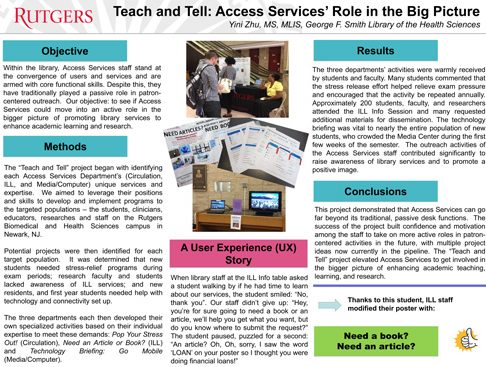
    Rutgers University Libraries were well represented at the poster session for the annual meeting of the Medical Library Association (MLA). A total of eight posters were presented by librarians from RWJ and Smith Libraries that capture a range of activities from access services and event assessment to systematic review and participation in medicine rounds. The posters were selected by juries comprised of association members and RBHS bears the distinction of having the most posters from a single library system in the show.

    Held from May 13 – 18, 2016, In Toronto, this year the meeting was a collaboration by MLA, the Canadian Health Libraries Association/Association des bibliotheques de la santé du Canada (CHLA/ABSC), and the Clinical Librarians Conference (CLC).

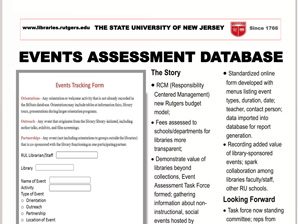
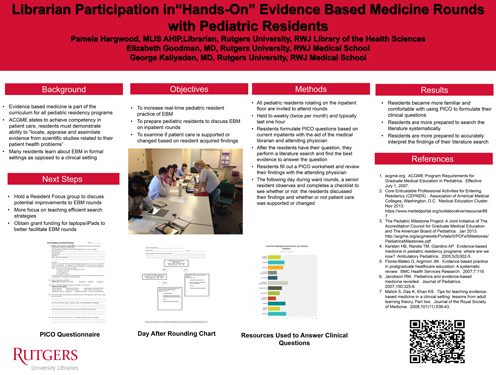
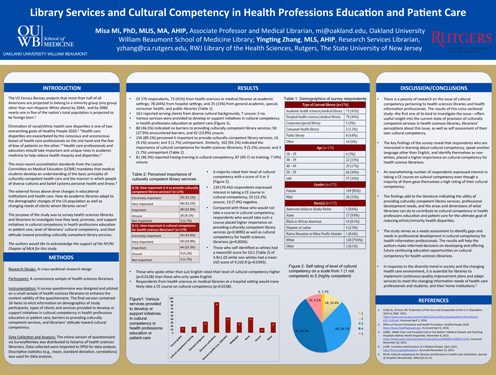
    Peruse the posters in the slideshow at the top of this page (click on the images to see PDFs). You can also view the posters & abstracts at the links below, on the meeting app, or in the official online program.


    RBHS Posters from MLA

    Title Author(s)
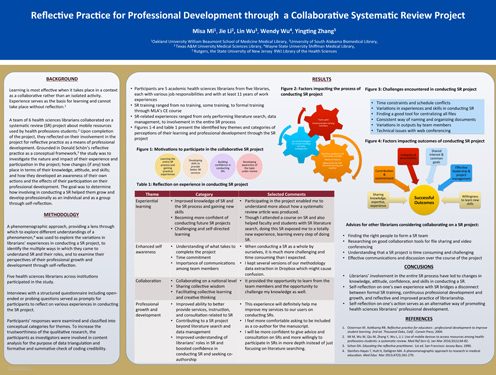
    Reflective Practice for Professional Development through a Collaborative Systematic Review Project Misa Mi, Jie Li, Lin Wu, Wendy Wu, Yingting Zhang
    Librarian Participation in “Hands-On” Evidence-Based Medicine Rounds with Pediatric Residents Pamela Hargwood
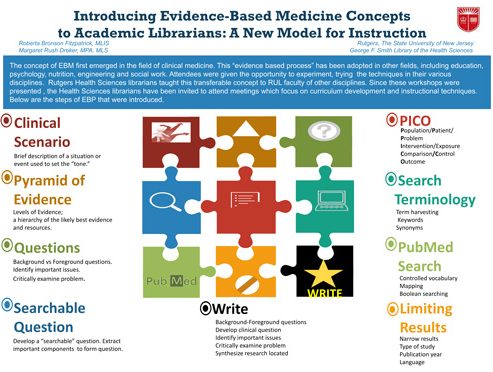
    Introducing EBM Concepts to Academic Librarians: A New Model for Instruction Roberta Bronson Fitzpatrick, Margaret Rush Dreker
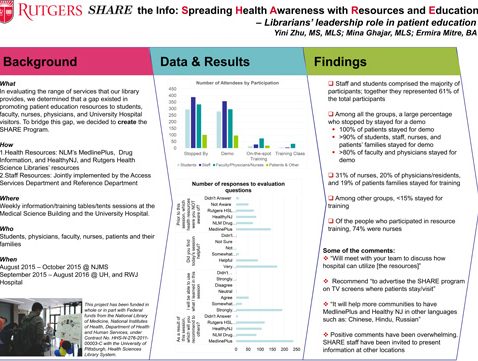
    SHARE the Info: Spreading Health Awareness with Resources and Education: A National Network of Libraries of Medicine-Funded Program Yini Zhu, Mina Ghajar, Ermira Mitre
    Library Services and Cultural Competency in Health Professions Education and Patient Care Misa Mi, Yingting Zhang
    Counting the Colorful: The Events Assessment Task Force Roberta Bronson Fitzpatrick, Leslin Charles, Ann Watkins, Zara Wilkinson, Megan Lotts
    Adding More Tiles to the Mosaic: The Library and EBM in a Time of Curriculum Revision Margaret Rush Dreker, Roberta Bronson Fitzpatrick
    Teach and Tell: Access Services’ Role in the Big Picture Yini Zhu