Tag: teaching and learning

  • Insights Analytics Tool Now Available in Canvas

    Library Tutorial Insights assessment and reporting provides a view of assessment and usage data for the tutorials that are used in a course. The detailed interface allows the course instructor to analyze learner performance on specific assessment questions, gauge students’ information literacy skills, and respond to problem areas more quickly and efficiently.

    NimblyWise and Credo Reference Insights Analytics tool is now integrated in the Canvas master courses:

    • Communication
    • Critical Thinking
    • Information Literacy
    • Health Sciences
    • Core Information Literacy and Critical Thinking

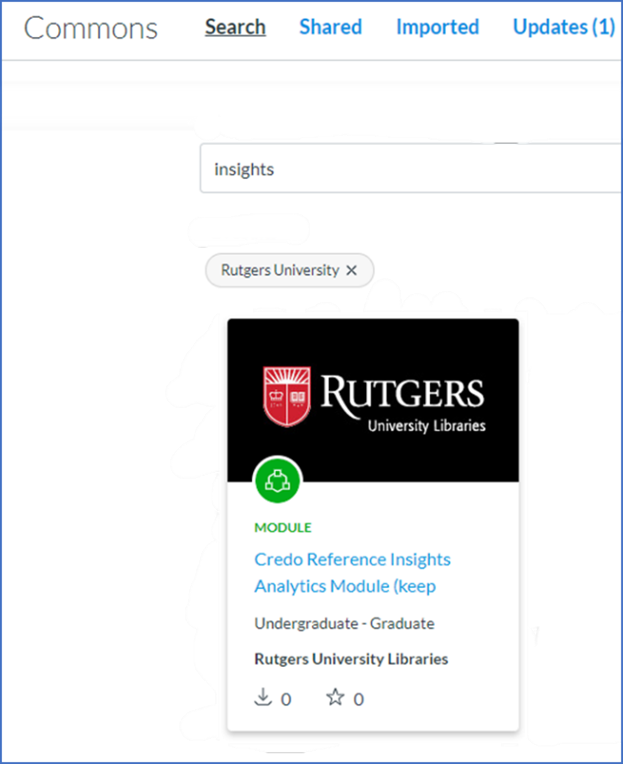
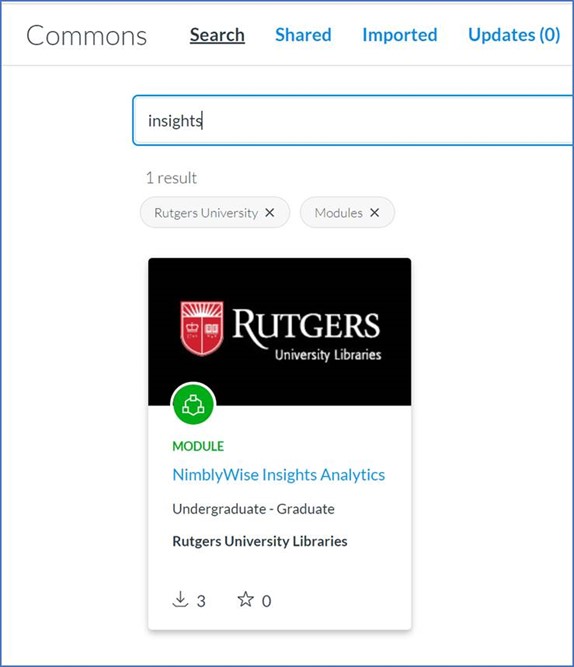
    Instructors who download any of these resources from Canvas Commons will have the option to use the Insights tool from within their Canvas course:

    Instructors who already have the library lessons in their course can download just the Insights tool from Canvas Commons:

    For questions about Library tutorials, contact Maria Breger at maria.breger@rutgers.edu

    View the complete list of the Libraries Teaching & Learning topics.

  • Reading List: Documentation and Resources Update

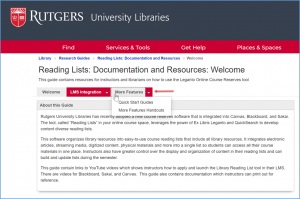
    The Reading Lists: Documentation and Resources LibGuide has been updated to include another page that describes additional functionality.  New content includes a quick start guide as well as printable handouts.  Liaisons can share this information with course instructors whether their courses are in Canvas, Blackboard, or Sakai.
    • Manage Sections (Edit/Add/Move/Set Dates):
    • Add Your Own Resource
    • Set Complete
    • Publish the Reading List
    • View the Reading List as a Student

    View the Reading List: Documentation and Resources.

    For questions about Library tutorials, contact Maria Breger at maria.breger@rutgers.edu

    View the complete list of the Libraries Teaching & Learning topics.

  • New Content for Library Tutorials!

    The NimblyWise and Credo Reference Library instruction tutorials have undergone some changes and enhancements for the fall.

    For Credo Reference:

    • The addition of APA Citations 7th edition tutorial.
    • The addition of AMA Citations – A tutorial, which includes a video and checkpoint assessments for practice, on American Medical Association (AMA) style has been added to the Understanding and Using Research Sources section.
    • The addition of Gray Literature – The Health Science Resources section has a new tutorial, which includes a video and checkpoint assessments for practice, on gray literature (information from non-commercially published sources that can have use in research, such as conference proceedings and dissertations).
    • The Revisions of PubMed Material – the PubMed tutorial, including the screencasts, has been refreshed where relevant to reflect PubMed’s redesign.

    Quiz questions on the new topics of AMA and gray literature have been added to appropriate assessment libraries.

    For NimblyWise:

    For the Library Tutorials web page:

    • Citation Styles – New tutorial on APA Citations 7th
    • New quiz on Chicago Manual of Style 17th
    • Getting Started with Research
    • New video on “Framing a Problem” and a new quiz on “Research Strategies”.
    • Presenting Research and Data -The previous video, tutorial, and quiz on Synthesizing Information have been replaced by a video on “Synthesis” and a tutorial and quiz on “Synthesizing Information for Academic Writing”.
    • Using Critical Thinking and Logic – New video on “Why Thinking Matters” and new tutorials on “Logical Reasoning” and “Analyzing Information”.

    Evaluating Information – The video “How to Identify and Debunk Fake News” and the quiz on “Fake News” have been retired by the vendor.

    For questions about Library tutorials, contact Maria Breger at maria.breger@rutgers.edu

    View the complete list of the Libraries Teaching & Learning topics.

  • Teaching and Learning: LibGuides in Canvas

    A link to library content in the Canvas shell.

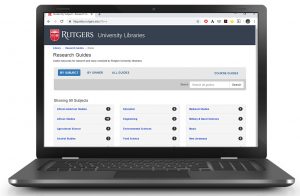
    Did you know that links to LibGuides and Library information are already included in all Canvas shells?

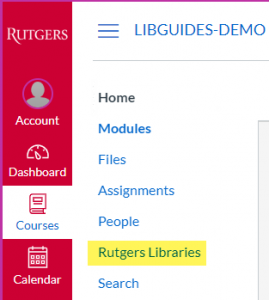
    Clicking on the Rutgers Libraries link in Canvas course navigation will display a page with a link to a LibGuide(s) and also Library information.

    By adding Canvas course metadata to a LibGuide, Librarians can connect students to LibGuides that are directly related to their course.

    There is no limit as to how many courses can be connected to one guide, and there is no limit as to how many Libguides can be connected to a course.

    View this document to see how to connect your LibGuide to a Canvas course.

    LibGuide authors who have questions about LibGuides may contact Maria Breger at maria.breger@rutgers.edu

    View the complete list of the Libraries Teaching & Learning topics.

  • Teaching and Learning: LibGuides

    Did you know that our LibGuides have been viewed over 240,000 times just in the fall 2019 semester? Keeping our LibGuides free of errors and up to date is an important part of our services at Rutgers University Libraries. With the help of some awesome student workers, we’ve made great progress in recent months to reduce the number of broken links from more than 4,600 to fewer than 1,800. As we move into the spring semester, now is a good time for LibGuide authors to make sure that your content is current and accurate! Taking the time to do some “spring cleaning” will make ongoing maintenance easier.

    Here are some suggestions to prepare your LibGuides for the start of the semester:

    LibGuide authors who have questions about LibGuides may contact Maria Breger at maria.breger@rutgers.edu

  • Library Reading Lists Created within Multiple LMSs

    Students in electronic classroomThe Ex Libris Leganto Reading List Management tool is now available for use in Blackboard, Canvas, and Sakai. The reading list tool can help instructors create impactful resource lists using library content and integrate a variety of materials into one, easy-to-use list. The tool is accessible from inside the learning management system, so students can access the reading list, along with other course resources. Instructors and librarians can collaboratively create and process reading lists for students from all types of resources.

    Because the reading lists tool is integrated in Blackboard, Canvas, and Sakai, access to materials is easy and streamlined for students.

    Here are some of the key features:

    • Instructors can create reading lists from books, articles, streaming media, and other resources held by the Libraries or add their own content. Reading lists integrate with the saved favorites feature on QuickSearch and lists can be used for multiple sections of a course or copied into new courses.
    • Reading lists can be divided into sections, by chronology, or by citation type.
    • Instructors and students can view information about each citation such as availability and status.
    • Instructors can collaborate with peers to enrich reading lists and keep them up to date.
    • Instructors can access usage data about their reading lists.

    The tool is now available in the external tools sections of the learning management systems. For more information, or if you have any questions, contact me at maria.breger@rutgers.edu.

  • Library Tutorials Made Available in Multiple LMSs

    The NimblyWise courses on Communication, Critical Thinking, and Information Literacy are now available for use in Blackboard, Canvas, and Sakai.  A new Credo Reference course – Health Science – is in the process of being set up and soon will be available in Canvas.  As an easy way to reference these courses while conveying the wide range of library instruction topics, we refer to them as Library Tutorials.

    The Library Tutorials are for use by Rutgers University instructors on all campuses.  Librarians will be interested to know that the lessons are mapped to instructional standards including the AAC&U (American Association of Colleges and Universities) VALUE Rubrics (Information Literacy and others), the ACRL Framework for Information Literacy, and the ACRL Visual Literacy Standards.

    Here are some of the ways that instructors may use these lessons:

    • In a first-year or transition class, to help students appreciate the overall importance of information literacy, strong research and evaluation, and communication skills.
    • As a flipped classroom, assigning students to view a video or work through a lesson before they attend a specialized library instruction class.
    • At various points during a scaffolded assignment, courses are broken down into individual lessons so that they may be deployed to students at various points in their process.
    • At the beginning of a class project, the multimedia lessons cover topics essential to success in research, from choosing a topic to evaluating sources.
    • At point of need, the lessons and videos provide just-in-time learning resources that are available to students throughout the semester.

    Instructors who have questions about the Library Tutorials content, or who want to supplement the online instruction with in-person or other modes of library instruction, are being directed to contact their library liaison.  Library liaisons can also help instructors select the most relevant lessons for their course.

    Librarian liaisons who need information about the tutorials may contact Maria Breger at maria.breger@rutgers.edu.